
Introduction
Making Tax Digital (MTD) is one of the biggest changes to the UK tax system in recent decades. Introduced by HMRC, it changes how businesses and many individuals keep financial records and submit tax information. Rather than relying on paper records or manual tax returns, Making Tax Digital requires eligible taxpayers to maintain digital records and submit information using compatible software. As Making Tax Digital continues to expand across different taxes and taxpayer groups, understanding how it works has become an important part of running a compliant UK business.
At its core, making tax digital is HMRC’s initiative to move tax reporting away from manual processes and into fully digital systems. Instead of paper records, spreadsheets, and annual last-minute submissions, businesses are required to keep digital records and submit tax information using approved accounting software. The aim is simple: reduce errors, improve accuracy, and make tax administration more efficient for both businesses and HMRC.
Whether you’re hearing about Making Tax Digital for the first time or preparing for upcoming reporting requirements, understanding the changes now can help you stay compliant, avoid unnecessary disruption and choose software that will support your business for years to come.
For many business owners, especially first-time founders, making tax digital explained clearly can feel overwhelming at first. There are new terms, new deadlines, and new technology requirements. However, MTD does not increase how much tax you pay. What it changes is the method and frequency of reporting. When implemented properly, MTD can actually reduce admin, improve cash-flow planning, and give you far better visibility over your finances throughout the year.
Today, MTD-compatible accounting software is central to Making Tax Digital compliance, helping businesses maintain digital records, automate submissions and keep pace with HMRC’s reporting requirements. HMRC requires eligible businesses to submit information through MTD-compatible software, which is why many businesses compare platforms such as Xero, Sage and QuickBooks when selecting an accounting system. These tools not only meet MTD requirements but also help manage invoicing, expenses, VAT, and reporting from a single dashboard.
In this guide, we’ll cover what is making tax digital, how it works, who it applies to, and how it affects different types of businesses. We’ll also explore how to choose the best accounting software, compare leading providers, and highlight current promotions – such as the Xero accounting software offer of 80% off for 6 months (subject to eligibility and T&Cs).
Check out the latest MTD compliant Xero offer here👉 https://accountingsoftwaredeals.co.uk/recommends/xero-offer/
Contents
- What is Making Tax Digital?
- Why Making Tax Digital Was Introduced
- Who Making Tax Digital Applies To
- How Making Tax Digital Works in Practice
- Digital Record-Keeping Requirements
- Making Tax Digital for VAT
- Making Tax Digital for Income Tax
- Making Tax Digital for New Businesses
- Making Tax Digital for Sole Traders
- Making Tax Digital for SMEs
- Benefits and Challenges of Making Tax Digital
- Choosing Accounting Software for MTD
- Xero vs Sage vs QuickBooks Comparison
- Promotion Conditions
- Making Tax Digital FAQs
- Recap
- Conclusion & Next Steps
What is Making Tax Digital?
Making tax digital is HMRC’s long-term strategy to modernise the UK tax system by requiring businesses and individuals to keep digital records and submit tax information using compatible software. When people ask what is making tax digital, the most accurate answer is that it replaces manual tax processes with structured, digital workflows.
Under MTD, businesses must record income and expenses digitally and submit tax data directly from software to HMRC. This removes the need to manually type figures into HMRC portals and significantly reduces the risk of transcription errors. The focus is not just on digital submission, but on maintaining digital links between records so data flows automatically from source to submission.
Making tax digital explained simply means that tax reporting becomes an ongoing process rather than an annual event. Businesses interact with their financial data more frequently, which improves accuracy and financial awareness. For many, this represents a shift in mindset as much as a technical change.
Importantly, MTD does not change tax rates, allowances, or reliefs. It only changes how information is collected and sent to HMRC. Businesses that already use cloud accounting software often find they are largely MTD-ready without major changes.
Making Tax Digital Timeline
| Date | What Changed |
|---|---|
| April 2019 | Making Tax Digital for VAT was introduced for larger VAT-registered businesses. |
| April 2022 | Making Tax Digital became mandatory for all VAT-registered businesses. |
| From April 2026 | Eligible self-employed individuals and landlords begin joining Making Tax Digital for Income Tax in phases, subject to HMRC thresholds. |
| Future | HMRC intends to continue expanding digital tax reporting, with Corporation Tax expected to form part of the long-term roadmap. |
Because HMRC’s implementation timetable has evolved over several years, businesses should always confirm the latest eligibility rules and reporting dates before assuming Making Tax Digital does or does not apply to them.
The timetable above demonstrates that Making Tax Digital is not a temporary initiative. It represents HMRC’s long-term strategy for modernising tax administration, making digital record keeping and software-based reporting the standard approach for UK businesses.
Why Making Tax Digital Was Introduced
Although Making Tax Digital was initially introduced to reduce avoidable errors in tax reporting, many businesses have found that digital bookkeeping delivers wider operational benefits. Better record keeping, faster access to financial information and improved visibility of cash flow often become valuable by-products of maintaining accurate digital records.
HMRC introduced making tax digital to tackle persistent inefficiencies in the tax system. A significant proportion of the UK tax gap was attributed not to avoidance, but to avoidable errors caused by manual calculations, lost paperwork, and outdated processes.
Digital reporting allows HMRC to receive cleaner, more accurate data. For businesses, it encourages better record-keeping and reduces the risk of penalties caused by simple mistakes. Over time, this benefits both sides by lowering administrative costs.
Another key driver was productivity. The government recognised that most businesses already operate digitally in other areas, such as banking and payments. Aligning tax reporting with modern business practices makes compliance more practical and less disruptive.
Making tax digital explained in this context is about future-proofing the tax system. As the economy becomes more digital, tax administration must follow suit.
Who Making Tax Digital Applies To
Making tax digital currently applies to all VAT-registered businesses, regardless of size or turnover. This includes sole traders, partnerships, limited companies, charities, and non-profits.
MTD for Income Tax is being phased in for self-employed individuals and landlords whose income exceeds HMRC thresholds. These taxpayers will need to submit quarterly updates rather than a single annual Self Assessment return.
Although Corporation Tax is not yet fully within MTD, HMRC has confirmed that digital reporting for companies is part of the long-term roadmap. For startups planning to incorporate or scale, choosing software that supports future MTD phases is a sensible decision.
Because eligibility rules and timelines can change, businesses should regularly check HMRC guidance and treat MTD compliance as an ongoing requirement rather than a one-off task.
👉 Get started with Xero and save 80% for 6 months: 🔗 https://accountingsoftwaredeals.co.uk/recommends/xero-offer/
How Making Tax Digital Works in Practice
In practice, making tax digital is built around three pillars: digital records, MTD-compatible software, and electronic submissions. Businesses record transactions digitally throughout the year, rather than compiling figures retrospectively.
For VAT, this means keeping digital VAT records and submitting returns through software every quarter. For Income Tax, businesses submit quarterly updates summarising income and expenses, followed by an end-of-period statement and final declaration.
These submissions are not all final tax bills. Quarterly updates are estimates designed to give HMRC visibility, while final adjustments are made at year-end. This approach spreads the workload and reduces year-end pressure.
Accounting software plays a central role in this process. Automated bank feeds, categorisation rules, and tax calculations reduce manual input and help ensure submissions meet HMRC’s technical standards.
Digital Record-Keeping Requirements
MTD requires businesses to keep specific records digitally, including transaction dates, amounts, VAT details, and categories. While paper receipts can still be retained, the primary records must exist in digital form.
One of the most misunderstood aspects of making tax digital explained is the concept of digital links. HMRC expects data to move between systems electronically. Manual copying and pasting breaks this requirement unless supported by bridging software.
For many businesses, moving to full accounting software is the simplest way to maintain compliance. These systems automatically preserve digital links while offering reporting and forecasting tools that go far beyond minimum requirements.
Making Tax Digital for VAT
Making tax digital for VAT is now fully established. All VAT-registered businesses must submit returns using compatible software.
While VAT rules themselves remain unchanged, the method of submission has improved. Automated VAT calculations reduce errors, while digital audit trails make it easier to respond to HMRC queries.
For businesses with complex VAT arrangements, robust software can be the difference between confidence and constant corrections.
Making Tax Digital for Income Tax
MTD for Income Tax replaces the traditional annual Self Assessment return with a series of quarterly updates, followed by year-end adjustments.
This change affects many sole traders and landlords most directly. While it increases reporting frequency, it also encourages better financial discipline and provides clearer visibility of tax liabilities throughout the year.
Accounting software that estimates tax in real time can turn MTD for Income Tax into a planning tool rather than a compliance burden.
Can You Still Use Spreadsheets for Making Tax Digital?
Yes – but there are important limitations.
HMRC does not prohibit spreadsheets entirely. However, businesses using spreadsheets for Making Tax Digital generally need compatible bridging software that can maintain the required digital links and submit information directly to HMRC.
For many businesses, cloud accounting software provides a simpler long-term solution because digital records, calculations and submissions are managed within a single platform. This reduces manual work and helps minimise the risk of errors.
How Making Tax Digital Affects Your Day-to-Day Bookkeeping
For most businesses, the biggest change introduced by Making Tax Digital is not the submission itself but the way bookkeeping is carried out throughout the year. Instead of leaving record keeping until tax deadlines approach, transactions should be recorded regularly using compatible software. This creates more accurate financial records, provides up-to-date reporting and makes VAT or Income Tax submissions much quicker when deadlines arrive.
Many businesses also find that routine bookkeeping becomes easier over time because bank feeds, invoice matching and automated expense categorisation reduce the amount of manual administration required.
Making Tax Digital for New Businesses
Businesses adopting digital bookkeeping from the beginning often find Making Tax Digital much easier to manage than those migrating from paper records or spreadsheets later. Choosing compatible accounting software early helps establish efficient processes and reduces the need for disruptive changes as reporting requirements evolve.
Digital records support investor reporting, grant applications, and cash-flow forecasting. Startups that embed MTD-ready processes early often find compliance becomes almost automatic as the business grows.
Choosing scalable software ensures that as the startup moves from sole trader to limited company, MTD requirements can be met without major reconfiguration.
Making Tax Digital for Sole Traders
Sole traders are among the groups most impacted by MTD for Income Tax. Quarterly updates replace the familiar annual Self Assessment, making consistent bookkeeping essential.
For many sole traders, making tax digital explained properly reveals that modern accounting software can actually save time. Automated expense categorisation and bank feeds reduce manual work and provide clearer insights into profitability.
Good software also helps sole traders plan for tax bills by setting aside estimated amounts throughout the year.
Making Tax Digital for SMEs
For SMEs, making tax digital introduces greater structure and transparency. Multiple users, approval workflows, and integrations ensure compliance across teams.
MTD aligns tax reporting with broader financial management, supporting forecasting, budgeting, and strategic planning. For growing businesses, this integration is often more valuable than compliance alone.
SMEs benefit most when MTD is treated as part of a wider digital transformation rather than a standalone requirement.
How to Become Making Tax Digital Ready
Preparing for Making Tax Digital is usually much easier when approached step by step rather than leaving everything until the reporting deadline.
If Making Tax Digital applies to your business now, or will apply in the future, working through the following checklist can help you prepare.
- Confirm whether Making Tax Digital currently applies to your business.
- Understand which taxes are affected, such as VAT or Income Tax.
- Choose HMRC-compatible accounting software.
- Digitise your bookkeeping records.
- Connect your business bank accounts where appropriate.
- Review your reporting deadlines.
- Speak to your accountant if you’re unsure about your obligations.
Taking these steps early helps reduce disruption and gives you time to become familiar with your new software before submissions become mandatory.
Benefits and Challenges of Making Tax Digital
Making Tax Digital brings a combination of long-term advantages and short-term challenges for UK businesses. Understanding both sides is essential for businesses of all sizes planning their accounting setup and choosing the right software.
Key benefits of Making Tax Digital
One of the biggest benefits of making tax digital is improved accuracy. Manual bookkeeping and spreadsheet-based processes are prone to simple errors such as incorrect formulas, missed transactions, or duplicated entries. By requiring digital records and software-based submissions, MTD significantly reduces these risks. Most modern accounting platforms automatically calculate totals and validate submissions before they are sent to HMRC.
Another major benefit is better visibility of your finances. Quarterly updates and real-time dashboards encourage business owners to review income, expenses, and tax liabilities more regularly. Rather than being surprised by a tax bill months later, businesses gain a clearer picture of what they owe and can plan cash flow accordingly. For UK businesses, this visibility can be critical for decision-making and sustainability.
Making tax digital also supports more efficient working practices. Once systems are set up, much of the reporting process becomes automated. Bank feeds, expense capture, and invoice matching reduce manual admin and free up time that would otherwise be spent preparing returns. Over time, many businesses find they spend less time on tax compliance than they did before MTD.
From HMRC’s perspective, MTD improves data quality and reduces the tax gap caused by avoidable mistakes. From a business perspective, this means fewer errors, fewer corrections, and a lower risk of penalties triggered by incorrect submissions.
Challenges businesses may face with MTD
Despite the benefits, making tax digital does present challenges – particularly during the transition period. One of the most common issues is initial setup and onboarding. Businesses moving from paper records or spreadsheets may need time to learn new systems and adapt existing processes.
There is also a cost consideration. Most MTD-compliant accounting software requires a monthly subscription. While this is an additional expense, it is often offset by time savings, reduced accountant fees, and fewer errors. Introductory offers can also help reduce early costs while businesses adjust.
Another challenge is keeping up with changing rules. Making tax digital continues to evolve, particularly around Income Tax and future expansion to Corporation Tax. Businesses need to stay informed and ensure their software remains compliant as requirements change. Choosing an established provider with regular updates and strong UK support reduces this risk.
Overall, while the transition to MTD can feel disruptive initially, most challenges are short-term. Businesses that invest in the right tools and processes early typically find that the long-term benefits outweigh the initial effort.
What Happens If You Ignore Making Tax Digital?
Failing to comply with Making Tax Digital requirements can lead to rejected submissions, penalties and unnecessary administrative work. Businesses that continue relying on manual processes after Making Tax Digital becomes mandatory for them may also spend significantly more time correcting errors and responding to HMRC queries.
Maintaining compliant digital records and using compatible software helps businesses avoid these issues while making future reporting considerably easier.
Common Myths About Making Tax Digital
There are still several misconceptions surrounding Making Tax Digital. Understanding what the programme does – and doesn’t – require can help businesses prepare with confidence.
- Myth: Making Tax Digital means paying tax every quarter.
Reality: Quarterly submissions provide HMRC with information, but they do not usually change when tax is paid. - Myth: Every business needs an accountant.
Reality: Many businesses manage Making Tax Digital themselves using compatible accounting software. - Myth: Paper receipts are banned.
Reality: Receipts can still be retained, but the financial records themselves must be maintained digitally where Making Tax Digital applies. - Myth: Only large businesses are affected.
Reality: Making Tax Digital already applies to all VAT-registered businesses and is expanding to many self-employed individuals and landlords.
Choosing Accounting Software for MTD
Choosing accounting software under MTD requires more than basic compliance. Software should be intuitive, scalable, and capable of supporting VAT, Income Tax, and future MTD phases.
Cloud-based platforms offer the best long-term value, integrating invoicing, expenses, reporting, and tax in one system. This reduces duplication and improves accuracy.
Comparing providers early allows businesses to take advantage of introductory offers while avoiding costly migrations later.
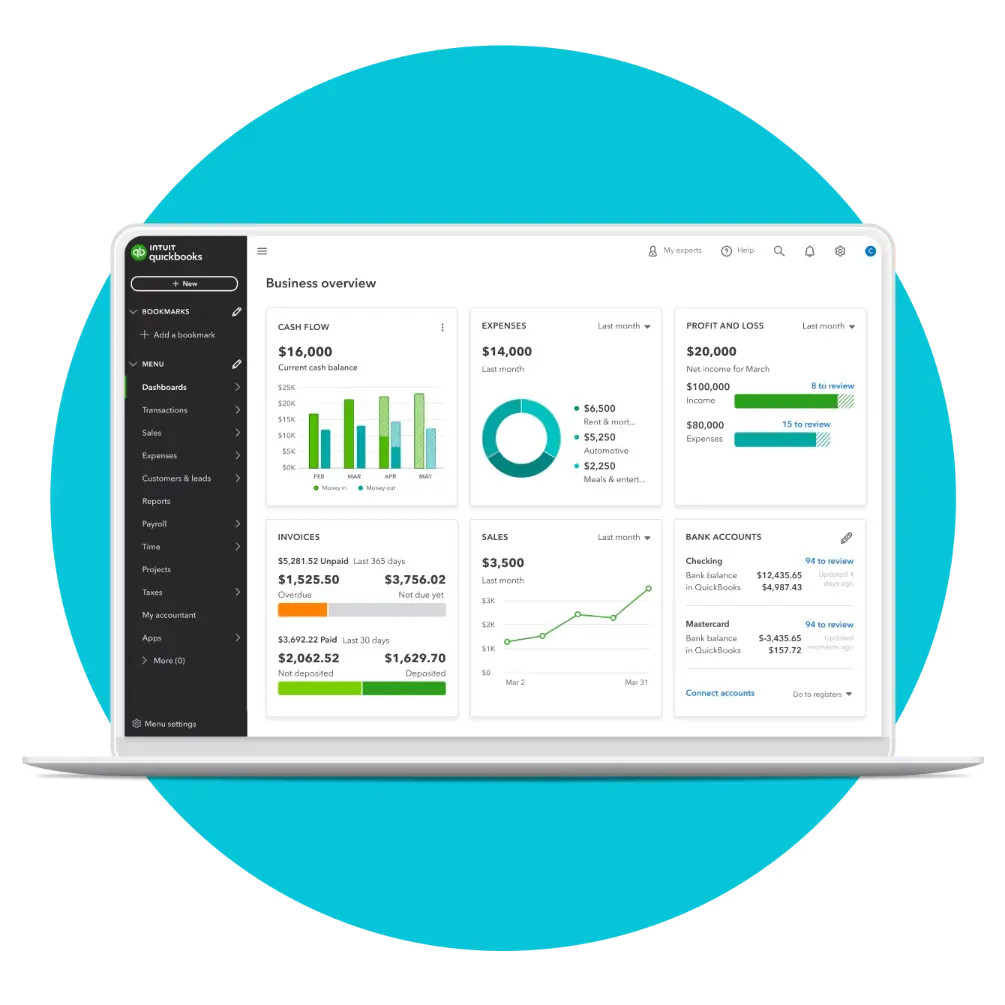
Comparing the leading Making Tax Digital accounting software providers
Choosing accounting software for making tax digital is no longer just about basic bookkeeping. Businesses now need platforms that are fully MTD-compliant, easy to use, scalable, and capable of supporting VAT, Income Tax, and future digital tax requirements.
Several well-established providers dominate the UK market, each with its own strengths. Xero, Sage, QuickBooks, and Zoho Books are among the most commonly compared options for startups, sole traders, and SMEs navigating MTD.
Xero is widely known for its clean interface, strong automation, and extensive app ecosystem. It is particularly popular with startups and small businesses that want simplicity, scalability, and strong HMRC integration. Many businesses are also attracted by periodic promotions, such as discounted pricing for new customers.
Sage has a long history in UK accounting and is often favoured by businesses that want more traditional accounting functionality or industry-specific features. Its MTD compliance is robust, and it is commonly used by SMEs with more complex reporting needs.
QuickBooks is well regarded for its balance of usability and power. It offers strong reporting tools, good automation, and flexible options for businesses that want detailed financial insights alongside MTD compliance.
Zoho Books is an increasingly popular alternative, particularly for cost-conscious businesses. It offers solid MTD functionality, good automation, and integrates well with the wider Zoho ecosystem, making it attractive for businesses already using Zoho CRM or productivity tools.
The table below compares these core providers across key criteria relevant to making tax digital, helping you assess which platform best fits your business needs.
- ✓Automated transaction categorisation for MTD-ready bookkeeping
- ✓VAT tracking and making tax digital submissions to HMRC
- ✓MTD-aligned reporting to support quarterly updates
- ✓Custom invoicing with payment tracking
- ✓Receipt capture and expense tracking
- ✓Secure bank feeds for real-time records
- ✓MTD-ready bookkeeping with automated bank reconciliation
- ✓VAT tracking and digital submissions built for UK businesses
- ✓Real-time dashboards for quarterly performance visibility
- ✓Multi-user access for accountants and teams
- ✓Receipt capture to strengthen digital audit trails
- ✓Integrations designed to keep MTD compliance simple
- ✓HMRC-compliant VAT and MTD reporting tools
- ✓Structured bookkeeping aligned to UK standards
- ✓Clear reporting for MTD-style quarterly updates
- ✓Invoice and credit control for cash flow
- ✓Director-friendly monthly reporting
- ✓Cloud and desktop access options
- ✓MTD-ready VAT workflows for compliant submissions
- ✓Digital record keeping for making tax digital
- ✓Automated invoicing and payment tracking
- ✓Bank feeds and reconciliation to reduce admin
- ✓Works well with other Zoho business apps
- ✓$100 credits usable across the Zoho ecosystem
Save Money on Making Tax Digital Accounting Software
Making Tax Digital compliance does not need to be expensive – especially for startups, sole traders, and growing SMEs. Choosing the right accounting software early can significantly reduce both compliance risk and operating costs, particularly when introductory offers are available.
One of the strongest current promotions for UK businesses is available on Xero, a fully MTD-compliant cloud accounting platform used by millions of businesses worldwide. Through this offer, eligible new customers can get 80% off Xero for 6 months, making it an affordable way to adopt professional-grade accounting software while keeping early-stage costs low.
This discount allows businesses to:
- Set up MTD-compliant VAT and Income Tax reporting
- Automate bookkeeping with bank feeds and rules
- Generate real-time financial reports
- Scale software usage as the business grows
👉 View the Xero offer here: https://accountingsoftwaredeals.co.uk/recommends/xero-offer/
Subject to eligibility. Offers may change – always check current provider terms and conditions.

Making Tax Digital FAQs
What is making tax digital?
Making tax digital is HMRC’s initiative to modernise the UK tax system by requiring businesses to keep digital records and submit tax information using approved accounting software. It replaces manual submissions with software-based reporting.
Is making tax digital mandatory?
Yes, where it applies. All VAT-registered businesses must comply, and MTD for Income Tax is being phased in for self-employed individuals and landlords above certain thresholds.
Does making tax digital change how much tax I pay?
No. MTD only changes how tax information is recorded and submitted. Tax rates, allowances, and reliefs remain the same.
What taxes does making tax digital apply to?
MTD currently applies to VAT and is expanding to Income Tax. Corporation Tax is expected to follow in future phases.
Do I need accounting software for MTD?
Yes. Submissions must be made through HMRC recognised software. Spreadsheets alone are not sufficient unless combined with bridging software.
How often do I need to report under MTD?
VAT returns remain quarterly. MTD for Income Tax requires quarterly updates, an end-of-period statement, and a final declaration.
Can my accountant handle making tax digital for me?
Yes, accountants can submit on your behalf, but you are still responsible for keeping digital records and using compliant systems.
What happens if I do not comply with MTD?
Non-compliance can result in penalties, rejected submissions, and increased scrutiny from HMRC.
Is making tax digital suitable for small businesses?
Yes. In fact, small businesses often benefit the most from improved accuracy, automation, and real-time financial visibility.
Is making tax digital permanent?
Yes. MTD is a long-term transformation programme and will continue expanding over the coming years.
Can I use free accounting software for MTD?
Some free tools exist, but they often lack features, support, or scalability. Paid software typically offers better long-term value.
How do I prepare for making tax digital?
Choose MTD-compliant software, digitise records, connect bank feeds, and understand your reporting obligations.
Do quarterly MTD updates mean paying tax more often?
No. Quarterly updates are informational. Tax is still paid according to existing payment schedules.
Xero and Making Tax Digital
Is Xero fully compliant with making tax digital?
Yes. Xero is fully compliant with MTD for VAT and supports MTD for Income Tax reporting.
Can Xero submit VAT returns directly to HMRC under MTD?
Yes. VAT returns are submitted directly from Xero without manual re-entry.
Does Xero support quarterly MTD updates for Income Tax?
Yes. Xero supports quarterly updates and end-of-period submissions where MTD for Income Tax applies.
Does Xero maintain digital links required by MTD?
Yes. Xero maintains full digital links from transaction entry to HMRC submission.
Is Xero suitable for MTD-compliant sole traders and startups?
Yes. Xero is widely used by sole traders and startups due to its automation and ease of use.
Can accountants submit MTD returns via Xero?
Yes. Accountants can be granted access to submit MTD returns on behalf of clients.
Does Xero store records in line with HMRC requirements?
Yes. Xero stores digital records securely and in line with MTD rules.
Is Xero future-proof for upcoming MTD changes?
Yes. Xero actively updates its platform in line with HMRC MTD developments.
Does Xero support multiple VAT schemes under MTD?
Yes. Xero supports standard, flat rate, and cash accounting VAT schemes.
Is there an MTD-related offer available on Xero?
Yes. Eligible new customers can get 80% off Xero for 6 months, making it a cost-effective way to adopt MTD-compliant software.
Sage and Making Tax Digital
Is Sage compliant with making tax digital?
Yes. Sage accounting products are compliant with MTD for VAT.
Can Sage submit VAT returns under MTD?
Yes. Sage submits VAT returns directly to HMRC using MTD APIs.
Does Sage support MTD for Income Tax?
Sage is developing and supporting MTD for Income Tax solutions for self-employed users.
Does Sage meet digital record-keeping requirements?
Yes. Sage maintains digital records in line with HMRC MTD rules.
Is Sage suitable for MTD-compliant SMEs?
Yes. Sage is commonly used by SMEs with more structured accounting needs.
Can accountants file MTD returns using Sage?
Yes. Sage supports accountant access and agent submissions.
Does Sage support VAT schemes under MTD?
Yes. Sage supports multiple VAT schemes.
Is Sage suitable for businesses transitioning from spreadsheets to MTD?
Yes. Sage offers migration tools and onboarding support.
Does Sage update its software as MTD rules change?
Yes. Sage regularly updates its products to reflect HMRC requirements.
Does Sage offer any MTD-related promotions?
Sage periodically offers introductory discounts, subject to eligibility and availability.
QuickBooks and Making Tax Digital
Is QuickBooks compliant with making tax digital?
Yes. QuickBooks Online is compliant with MTD for VAT.
Can QuickBooks submit VAT returns directly to HMRC?
Yes. VAT returns are submitted directly from QuickBooks.
Does QuickBooks support MTD for Income Tax?
QuickBooks is developing functionality to support MTD for Income Tax.
Does QuickBooks maintain digital links required by MTD?
Yes. Digital links are maintained throughout the reporting process.
Is QuickBooks suitable for sole traders under MTD?
Yes. QuickBooks is widely used by sole traders for MTD-compliant bookkeeping.
Can accountants manage MTD filings in QuickBooks?
Yes. Accountants can be invited to manage submissions.
Does QuickBooks support VAT schemes?
Yes. QuickBooks supports common UK VAT schemes.
Is QuickBooks cloud-based for MTD access?
Yes. QuickBooks Online is fully cloud-based.
Is QuickBooks regularly updated for MTD compliance?
Yes. Updates are rolled out as HMRC guidance evolves.
Does QuickBooks offer MTD discounts?
QuickBooks often provides introductory pricing offers, subject to change.
Zoho Books and Making Tax Digital
Is Zoho Books compliant with making tax digital?
Yes. Zoho Books is compliant with MTD for VAT in the UK.
Can Zoho Books submit VAT returns directly to HMRC?
Yes. VAT returns are submitted directly through Zoho Books.
Does Zoho Books support digital record keeping for MTD?
Yes. Zoho Books maintains digital records as required by HMRC.
Is Zoho Books suitable for startups under MTD?
Yes. Zoho Books is popular with cost-conscious startups needing MTD compliance.
Does Zoho Books support accountant access for MTD submissions?
Yes. Accountants can be invited to manage VAT submissions.
Does Zoho Books support VAT schemes under MTD?
Yes. Standard VAT schemes are supported.
Is Zoho Books cloud-based for MTD reporting?
Yes. Zoho Books is fully cloud-based.
Does Zoho Books integrate with other systems while maintaining digital links?
Yes. Integrations maintain digital continuity for MTD purposes.
Is Zoho Books kept up to date with HMRC MTD changes?
Yes. Zoho updates its platform as requirements evolve.
Is there an MTD-related offer for Zoho Books?
Yes. New users can receive a $100 credit when signing up to Zoho Books, which can be used against other Zoho apps.
Recap: Making Tax Digital Explained
Making tax digital represents a permanent shift in how UK businesses manage tax compliance. Rather than relying on manual records and annual submissions, MTD requires digital record-keeping, compatible software, and more frequent reporting to HMRC.
While the changes can initially feel complex, making tax digital does not alter how much tax businesses pay. Instead, it improves how information is recorded and submitted. For startups, sole traders, and SMEs, this often leads to better financial discipline, improved accuracy, and greater visibility over cash flow and tax liabilities.
The key to success under MTD is preparation. Businesses that adopt compliant accounting software early, understand their reporting obligations, and embed digital processes into daily operations typically experience fewer disruptions and lower compliance risk.
Comparing accounting software providers such as Xero, Sage, QuickBooks, and Zoho Books allows businesses to choose a solution that not only meets MTD requirements but also supports growth, efficiency, and long-term financial management.
Conclusion and Next Steps
Making tax digital is now a core part of running a business in the UK. As HMRC continues to expand the scope of MTD, digital record-keeping and software-based reporting will become the standard for VAT, Income Tax, and eventually Corporation Tax. Businesses that have not yet adopted compliant digital processes should review their current systems as soon as possible to ensure they remain compliant as Making Tax Digital continues to expand.
The most effective way to approach MTD is to see it as an opportunity rather than a burden. With the right accounting software, making tax digital can streamline bookkeeping, improve financial visibility, and reduce the time spent on tax administration. For startups and small businesses in particular, modern accounting platforms can provide clarity and control from the very beginning.
If you’re ready to take the next step, consider whether your business needs guidance on preparing for Making Tax Digital, choosing compatible accounting software or understanding how the rules apply to your specific circumstances. Building good digital record-keeping habits today will make future compliance significantly easier.
By understanding making tax digital explained in full and choosing software that fits your business model, you can stay compliant, improve financial management, and focus on growing your business with confidence.
Making Tax Digital is no longer simply a future government initiative – it’s now an established part of the UK’s tax system. Businesses that embrace digital record keeping and compatible software are likely to find compliance simpler, reporting more accurate and financial management more efficient over the long term.
Continue Learning About Making Tax Digital
Depending on your circumstances, you may also find these guides helpful:
- How to Prepare for Making Tax Digital
- Best Accounting Software for Making Tax Digital
- Free Making Tax Digital Software
- Making Tax Digital for Self-Employed
- Making Tax Digital for Freelancers
- Making Tax Digital for SMEs
- Making Tax Digital for Landlords
This positions the article as the central hub of your MTD content and naturally directs readers to more specialised guidance.
Subject to eligibility; offers may change. Always review current terms and conditions before subscribing.
Disclaimer: The content on this website is intended for informational purposes only and should not be construed as legal, financial, or professional advice. While we strive to ensure that the information is accurate and up-to-date at the time of publication, please be aware that regulations and circumstances may change. We recommend consulting with a qualified professional for personalised guidance specific to your situation. Additionally, some links on this website may be affiliate links, meaning we may earn a commission if you make a purchase through those links. Please ensure you read and understand all terms and conditions before making any decisions.
Xero Relationship Disclosure: This website is independent and not affiliated with or endorsed by Xero. We may earn a commission if you sign up to Xero via our referral links.
- Xero vs Sage: Which Accounting Software Is Best for Small Businesses?
 Introduction Choosing between Xero vs Sage is one of the biggest decisions UK business owners make when selecting accounting software. Whether you’re comparing Xero or Sage, looking at Xero vs Sage features, or wondering is Xero better than Sage or is Sage better than Xero, this guide compares pricing, ease of use, HMRC compliance, integrations… Read more: Xero vs Sage: Which Accounting Software Is Best for Small Businesses?
 - Free Agent Accounting Software Review
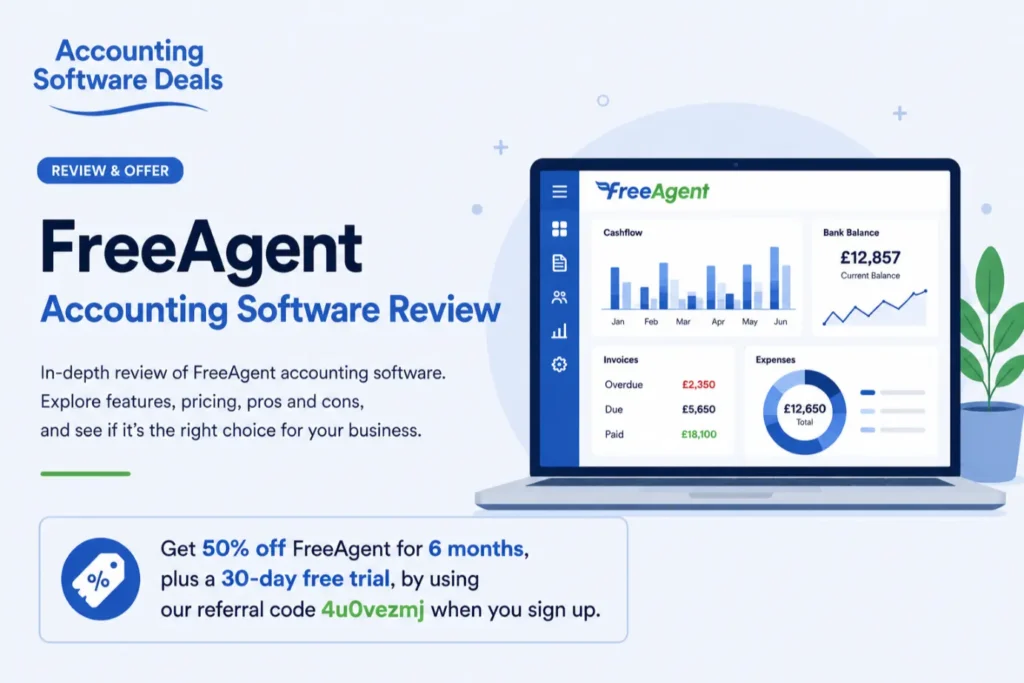 Introduction Choosing the right accounting software can save you hours of administration each month while helping you stay compliant with HMRC requirements. For UK freelancers, sole traders and small businesses, FreeAgent accounting software has become one of the most popular cloud accounting solutions thanks to its simple interface, built-in tax features and time-saving automation. In… Read more: Free Agent Accounting Software Review
 - Zoho Books Accounting Software Review UK (2026)
 Introduction Choosing the right accounting software is one of the most important decisions for any business, and Zoho Books accounting software has become an increasingly popular choice for freelancers, sole traders, startups and small businesses looking for an affordable cloud-based solution. Combining invoicing, bookkeeping, expense tracking, automation and HMRC-compliant tax tools, Zoho Books is designed… Read more: Zoho Books Accounting Software Review UK (2026)
 - Xero vs Zoho Books for Small Businesses (2026)
 Introduction Choosing accounting software is one of the most important decisions a sole trader or small business owner can make. The right platform saves time, reduces stress around tax, and gives you clearer insight into cash flow and profitability. The wrong one can feel restrictive, confusing, or unnecessarily expensive as your business grows. That’s why… Read more: Xero vs Zoho Books for Small Businesses (2026)
 - Zoho Books vs Sage for Small Businesses (2026 Comparison Guide)
 Introduction Choosing the right accounting software is one of the most important decisions for any UK sole trader or small business. The right platform can save hours of administration every month, simplify VAT returns, improve cash flow management and provide better visibility over your finances as your business grows. If you’re comparing Zoho Books vs… Read more: Zoho Books vs Sage for Small Businesses (2026 Comparison Guide)
 - Sage vs QuickBooks Accounting Software Comparison
 Introduction Choosing between Sage and QuickBooks is one of the most important software decisions facing UK sole traders and small businesses. Both platforms are HMRC-recognised, Making Tax Digital (MTD) compliant and trusted by thousands of UK businesses, but they take noticeably different approaches to bookkeeping, automation and financial management. Sage has traditionally been the preferred… Read more: Sage vs QuickBooks Accounting Software Comparison