
Introduction
Choosing between Sage and QuickBooks is one of the most important software decisions facing UK sole traders and small businesses. Both platforms are HMRC-recognised, Making Tax Digital (MTD) compliant and trusted by thousands of UK businesses, but they take noticeably different approaches to bookkeeping, automation and financial management.
Sage has traditionally been the preferred choice for businesses wanting detailed reporting, structured accounting workflows and closer collaboration with accountants. QuickBooks, by contrast, focuses on simplicity, automation and helping business owners spend less time on administration and more time growing their business.
In this Sage vs QuickBooks comparison, we’ll compare pricing, features, ease of use, reporting, integrations, customer support and long-term scalability to help you decide which accounting software best suits your business in 2026.
Throughout this guide, we’ll also explain which platform is best for sole traders, freelancers, limited companies and growing SMEs, alongside practical advice based on real business requirements rather than marketing claims. If you’re still exploring your options, you may also find our Best Accounting Software for Small Businesses, QuickBooks Review and Sage Review useful before making your final decision.
QuickBooks is frequently the better choice for businesses prioritising automation, ease of use and affordability. At the time of writing, eligible customers can get 90% off QuickBooks for 7 months (subject to eligibility and promotional changes), making it one of the most cost-effective ways to get started with cloud accounting. If you’d like to see the latest offer before reading further, you can claim the current QuickBooks deal here.
Whether you’re switching from another accounting package or choosing software for the first time, this comparison will help you understand the strengths, weaknesses and ideal use cases for both platforms so you can make a confident decision.
Contents
- What are Sage and QuickBooks?
- Who are Sage and QuickBooks designed for?
- Sage vs QuickBooks features comparison
- Pricing and plans: is Sage cheaper than QuickBooks?
- Ease of use and onboarding experience
- Invoicing, payments, and cash flow tools
- Expenses, bank feeds, and automation
- Reporting, forecasting, and insights
- VAT, MTD compliance, and HMRC integration
- App integrations and ecosystem
- Customer support, training, and accountants
- Scalability and growing with your business
- FAQs: Sage vs QuickBooks for Small Businesses
- Recap: Sage vs QuickBooks for UK Businesses
- Conclusion: Which Is Better – Sage or QuickBooks?
What are Sage and QuickBooks?
Sage and QuickBooks are two of the most widely recognised accounting software platforms in the UK, both offering cloud-based solutions designed to help businesses manage their finances, remain compliant, and gain visibility over performance.
Sage has a long history in business accounting, particularly in the UK market. Its software has traditionally appealed to businesses that want strong accounting controls, detailed reporting, and close alignment with professional accountants. Over time, Sage has expanded its cloud offerings, modernising its interface while retaining depth across payroll, VAT, and financial reporting.
QuickBooks, by contrast, has positioned itself as an intuitive, automation-led accounting platform. Its cloud-first approach focuses on reducing manual work through bank feeds, smart categorisation, and real-time dashboards. This makes QuickBooks particularly attractive to sole traders and SMEs that want simplicity without sacrificing compliance.
Both platforms support core accounting tasks such as invoicing, expense tracking, VAT returns, and reporting. However, the experience of using them – and the type of business they best suit – can differ significantly. This is why the quickbooks vs sage comparison remains one of the most common searches among UK business owners.
Although both platforms cover the same core accounting functions, they are designed with different business priorities in mind. QuickBooks focuses on helping business owners save time through automation and simplicity, while Sage provides greater financial control, reporting depth and flexibility as businesses become more complex. Understanding these differences early will make it much easier to decide which platform is the better fit for your business. If you’re still comparing your options, our Xero vs QuickBooks comparison and Sage vs Xero comparison are also worth reading.
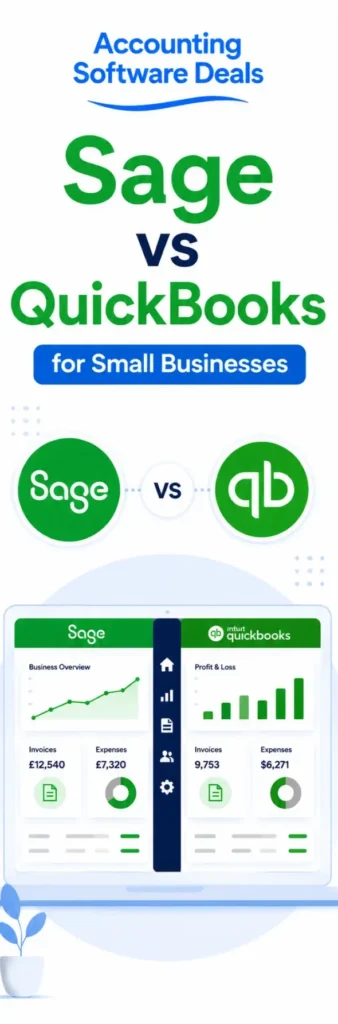
Who are Sage and QuickBooks designed for?
Although Sage and QuickBooks serve overlapping markets, their design philosophies cater to slightly different audiences.
Sage often appeals to businesses that value structure and traditional accounting workflows. This includes limited companies with more complex reporting needs, businesses with in-house finance staff, and organisations that work closely with accountants who prefer Sage’s layout and controls. Sage’s modular approach also suits businesses that want to add payroll or advanced features as they grow.
QuickBooks is commonly chosen by sole traders, freelancers, and small limited companies looking for speed and clarity. Its interface is designed to be approachable even for users with limited accounting knowledge, while still offering depth for VAT-registered and growing businesses. For many first-time business owners, QuickBooks removes friction by automating routine tasks.
This difference in audience often shapes the debate around is sage better than quickbooks. The answer depends less on which platform is “better” overall, and more on which aligns with how you run your business day to day.
If affordability and quick setup matter most, QuickBooks tends to stand out – especially when discounted offers are available. Eligible users can currently get 90% off QuickBooks for 7 months, making it a cost-effective entry point for new businesses (subject to eligibility).
Sage vs QuickBooks features comparison
Comparing Sage and QuickBooks isn’t simply about counting features because both platforms include everything most UK businesses need for day to day bookkeeping. The real difference is how those features are delivered. QuickBooks is designed to reduce manual work through automation, while Sage provides more detailed financial controls and greater flexibility for businesses with increasingly complex accounting requirements.
Sage offers comprehensive, traditional accounting functionality built around control and depth. Key sage vs quickbooks features differences include Sage’s advanced reporting tools, detailed chart of accounts management, and robust VAT configuration options. Sage also integrates closely with payroll and HR tools within its own ecosystem, making it well suited to businesses that want an all-in-one financial management environment. For companies that require granular financial oversight, Sage’s feature depth is often viewed as a major strength in the sage vs quickbooks comparison.
QuickBooks, by contrast, focuses heavily on automation, speed, and real-time visibility. One of the most noticeable quickbooks vs sage feature differences is how central bank feeds are to QuickBooks. Transactions are automatically pulled in, categorised using smart rules, and reflected instantly in dashboards. These dashboards provide real-time snapshots of cash flow, profit, VAT position, and outstanding invoices, allowing business owners to understand financial performance at a glance without running multiple reports.
Both platforms support invoicing, expense tracking, and VAT submissions, but QuickBooks typically reduces the number of steps required to complete these tasks. Automated categorisation, receipt capture, and invoice matching mean less manual intervention. Over time, this efficiency can lead to significant time savings, which is a key reason many small businesses favour QuickBooks when weighing up sage vs quickbooks features.
Ultimately, the features comparison highlights a clear trade-off. Sage prioritises structure, control, and accounting depth, while QuickBooks prioritises efficiency, automation, and usability. Deciding which platform is stronger in the sage vs quickbooks debate depends on whether your business values detailed control or streamlined day-to-day management.
- ✓Automated transaction categorisation for MTD-ready bookkeeping
- ✓VAT tracking and Making Tax Digital submissions to HMRC
- ✓MTD-aligned reporting for quarterly updates
- ✓Custom invoicing with payment tracking
- ✓Receipt capture and expense tracking
- ✓Secure bank feeds for real-time records
- ✓HMRC-compliant VAT and MTD reporting tools
- ✓Structured bookkeeping aligned to UK standards
- ✓Clear reporting for MTD-style quarterly updates
- ✓Invoice and credit control to support cash flow
- ✓Director-friendly monthly reporting
- ✓Cloud and desktop access options
Pricing and plans: is Sage cheaper than QuickBooks?
Pricing is often one of the first factors small business owners consider when comparing accounting software, and a common question is: is sage cheaper than quickbooks? The answer depends on how your business operates, which features you need, and how quickly you expect to grow.
Sage structures its pricing around depth and modularity. Entry-level plans are reasonably priced and suitable for basic bookkeeping, invoicing, and VAT submissions. However, as your requirements expand – such as adding payroll, multi-currency support, additional users, or advanced reporting – costs can rise. Sage’s approach works well for businesses that value control and are comfortable paying more for specialist features. That said, some sole traders may find they are paying for functionality they rarely use.
QuickBooks takes a different approach by offering tiered plans that are clearly aligned to business size and complexity. This makes it easier for sole traders and small limited companies to start with a lower-cost plan and upgrade only when necessary. Pricing transparency is a key advantage, as most core features are included upfront rather than added on later.
One of the most significant differences in the quickbooks vs sage pricing debate is the availability of introductory offers. QuickBooks frequently provides substantial discounts for new customers. At the time of writing, eligible businesses can get 90% off QuickBooks for 7 months, which can dramatically reduce costs during the early stages of trading (subject to eligibility; offers may change). For startups and newly self-employed individuals, this can free up cash flow for marketing, equipment, or professional support.
Overall, QuickBooks represents better value for many sole traders and small businesses thanks to its competitive pricing, straightforward plans and frequent introductory offers. Sage becomes increasingly attractive as businesses grow and require more advanced reporting, payroll or financial management features. If you’re considering QuickBooks, you can check the latest promotional offer here before deciding, as introductory discounts can significantly reduce your first year costs.
Ease of use and onboarding experience
Ease of use is one of the most noticeable and frequently cited differences in any sage vs quickbooks comparison, particularly for business owners who do not have a formal accounting background.
QuickBooks is designed with non-accountants firmly in mind. The onboarding process is guided and intuitive, walking users through key steps such as connecting bank accounts, setting up VAT, and creating their first invoice. The interface is visual and dashboard-driven, presenting financial data in clear charts and summaries rather than dense accounting tables. As a result, many users can start invoicing clients, tracking expenses, and viewing cash flow within hours of signing up.
Day-to-day workflows in QuickBooks are streamlined and heavily automated. Transactions pulled in from bank feeds are automatically categorised, invoices can be created in just a few clicks, and reminders reduce the need for manual follow-ups. This simplicity is especially valuable for sole traders who manage their finances alongside client work.
Sage has made notable improvements to its user experience in recent years, modernising its layout and moving more functionality into the cloud. However, it still reflects its accounting-first heritage. Menus, terminology, and workflows are often more structured, which can be beneficial for accuracy and control but may feel less intuitive for beginners. New users sometimes require more time to become confident, particularly if they are unfamiliar with accounting concepts.
For most sole traders and small business owners, QuickBooks offers the easier learning experience thanks to its intuitive design and automation. Businesses with experienced finance teams or more complex accounting processes may prefer Sage’s structured approach. If ease of use is your biggest priority, our QuickBooks Review explores the platform in much greater detail.
Invoicing, payments, and cash flow tools
Invoicing and cash flow management are critical for small businesses, and both Sage and QuickBooks offer tools designed to help businesses get paid faster and maintain financial stability.
Sage provides robust invoicing functionality with strong customisation options. Users can tailor invoice layouts, add branding, manage recurring invoices, and track outstanding payments. Sage also integrates with various payment providers, allowing customers to pay online and helping businesses reduce delays. For companies that value detailed control over invoice structure and presentation, Sage performs well in this area.
QuickBooks places a heavier emphasis on real-time cash flow visibility and automation. Invoices can be created quickly, sent directly from the platform, and tracked as soon as they are viewed or paid. Automated payment reminders help reduce late payments without awkward manual chasing, while bank feed integration ensures that payments are matched to invoices automatically.
One of QuickBooks’ standout strengths is how clearly it presents cash flow data. Business owners can instantly see who owes them money, which bills are due, and how much cash is available – all from a single dashboard. This visibility is particularly valuable for sole traders and small businesses that rely on regular, predictable income to cover expenses.
For businesses where cash flow is tight or unpredictable, these tools can make a meaningful difference to day-to-day operations. The ability to monitor payments in real time and automate routine tasks often tips the balance in favour of QuickBooks for smaller, service-based businesses.
Expenses, bank feeds, and automation
Managing expenses efficiently is a major concern for sole traders and small businesses, and this is an area where differences between Sage and QuickBooks become particularly clear.
Automation is a core strength of QuickBooks. Bank feeds connect securely to most UK banks and update frequently, pulling transactions into the system automatically. Once connected, QuickBooks uses learning algorithms to categorise transactions based on previous behaviour, meaning that the software becomes more accurate over time. Receipts can be captured using a mobile app, matched to transactions, and stored digitally, reducing the need for manual data entry and paperwork.
This level of automation can significantly reduce the time spent on bookkeeping each week. For time-pressed business owners, especially those managing finances alongside client work, this efficiency is often a deciding factor in the quickbooks vs sage debate. It also helps reduce errors caused by missed transactions or manual input.
Sage also supports bank feeds and expense tracking, but the experience is generally more structured and manual. Transactions may require review or categorisation by the user, and expense workflows tend to involve more steps. For some businesses, particularly those with dedicated finance staff or more complex accounting requirements, this added control is a positive. It allows for closer oversight and reduces reliance on automated assumptions.
This contrast often shapes opinions around is sage better than quickbooks. Businesses that prioritise speed, automation, and minimal admin tend to favour QuickBooks, while those that prefer hands-on control and traditional accounting workflows may feel more comfortable with Sage.
Reporting, forecasting, and insights
Reporting is where the philosophical differences between Sage and QuickBooks are most evident, particularly in how financial information is presented and used.
Sage’s reporting capabilities are detailed and accountant-friendly. Users can generate a wide range of reports covering profit and loss, balance sheets, VAT summaries, cash flow forecasts, and management accounts. These reports are highly configurable, making them suitable for businesses that require in-depth financial analysis, formal reporting, or regular reviews with accountants or investors. For growing SMEs, this depth can be a major advantage.
QuickBooks approaches reporting from a different angle, focusing on clarity and accessibility. Reports are presented visually, with charts, summaries, and dashboards designed to provide quick insights rather than dense financial statements. Business owners can instantly see how their company is performing without needing to interpret complex accounting terminology. This makes QuickBooks particularly appealing to sole traders and small business owners who want confidence in their numbers without becoming accounting experts.
Forecasting tools in QuickBooks are also designed to be practical and easy to understand, helping users anticipate cash flow issues before they arise. While Sage offers more advanced forecasting options, these may require a higher level of financial knowledge to use effectively.
If detailed financial reporting is one of your highest priorities, Sage has the advantage thanks to its broader range of reports and greater level of customisation. QuickBooks, however, provides more than enough reporting for the vast majority of sole traders and SMEs while presenting financial information in a way that is much easier for non accountants to understand.

VAT, MTD compliance, and HMRC integration
VAT compliance is a critical requirement for UK businesses, and both Sage and QuickBooks are fully compliant with Making Tax Digital (MTD) regulations. If you’re comparing Sage vs QuickBooks, you’ll be pleased to know that both cloud accounting software platforms integrate directly with HMRC, allowing businesses to submit VAT returns digitally and remain compliant with UK tax legislation.
QuickBooks simplifies VAT management by automating calculations wherever possible. VAT is tracked automatically as transactions flow through bank feeds, while the software highlights what is owed or reclaimable in real time. Automated reminders help ensure deadlines are not missed, and submitting VAT returns to HMRC can often be completed in just a few clicks. For many sole traders and small businesses comparing QuickBooks vs Sage, this automation reduces administration, saves time, and minimises the risk of costly errors.
Sage also provides robust Making Tax Digital (MTD) functionality, with advanced VAT configuration options for businesses dealing with complex VAT schemes, partial exemptions, or industry-specific requirements. These additional controls make Sage an excellent choice for businesses with more advanced accounting requirements, although the platform can feel more involved for sole traders and smaller businesses with straightforward bookkeeping needs.
For most UK sole traders, limited companies, and SMEs, both Sage and QuickBooks provide reliable HMRC-compliant accounting software with excellent VAT and Making Tax Digital (MTD) support. The biggest difference in the Sage vs QuickBooks comparison is usability: QuickBooks prioritises automation and fast VAT submissions, while Sage offers greater flexibility and control for businesses with more complex accounting and tax requirements.
App integrations and ecosystem
Modern businesses often rely on multiple digital tools, making app integrations an important consideration when comparing cloud accounting software. If you’re evaluating Sage vs QuickBooks, the breadth and quality of each platform’s integration ecosystem could influence your decision.
QuickBooks integrates with a wide range of third-party applications, including e-commerce platforms, payment processors, time-tracking tools, CRM systems, payroll providers, and inventory management software. This flexibility makes QuickBooks particularly well suited to businesses that operate across multiple platforms and want their financial data to sync automatically. For many businesses comparing QuickBooks vs Sage, these integrations reduce duplicate data entry, improve automation, and provide a more connected overview of business performance.
Sage’s ecosystem is more controlled and traditionally focused on accounting, payroll, and HR solutions. It integrates well with software within the Sage environment alongside selected third-party partners, making it a strong option for businesses that prefer a tightly managed software stack. This structured approach enhances reliability and consistency, particularly for organisations with established finance processes and more complex operational requirements.
Businesses already using ecommerce platforms, CRM software, payment providers, inventory management systems, or project management tools will often benefit from QuickBooks’ broader integration ecosystem. Businesses looking for a more traditional finance platform with accounting, payroll, and HR products under one brand may find Sage the better long-term choice. When comparing Sage vs QuickBooks for integrations, the right option depends on your existing software stack and future business needs. If app integrations are a priority, it’s also worth comparing QuickBooks with Xero, which has one of the largest app marketplaces available.
Customer support, training, and accountants
When comparing sage vs quickbooks, customer support, training resources, and accountant compatibility play a major role-especially for sole traders and SMEs that rely on external advice. There is no single winner in the quickbooks vs sage debate for support; instead, the better option depends on how hands-on you want to be with your accounting and how closely you work with an accountant.
Sage has a long-standing presence in the UK accounting market and maintains strong relationships with accountants and bookkeepers. Many accounting firms are deeply familiar with Sage, making it a popular choice for businesses that want structured accountant collaboration and traditional reporting workflows. Sage also offers extensive training resources, including guides, webinars, and certification programmes, which suit businesses that want to build internal accounting expertise. For this reason, some businesses conclude that Sage is better than QuickBooks when professional oversight and formal processes are a priority.
QuickBooks takes a more business-owner-friendly approach to support and training. It offers in-app help, step-by-step guidance, and a large library of online resources written in plain English. Its growing UK accountant network means most small businesses can still work easily with advisers, while retaining more day-to-day control themselves. In many sage vs quickbooks comparisons, QuickBooks is preferred by sole traders and small businesses that want fast answers, minimal jargon, and less reliance on external support.
Ultimately, in the sage vs quickbooks decision, Sage often suits businesses that lean heavily on accountants and structured training, while QuickBooks suits those that want accessible support and the ability to manage finances independently.
Scalability and growing with your business
Scalability is a critical factor when weighing up sage vs quickbooks, particularly for businesses planning to grow beyond their initial setup. Both platforms scale effectively, but they do so in different ways that suit different growth paths.
Sage scales well for businesses that grow in complexity over time. As SMEs add staff, expand operations, or require more detailed reporting, Sage’s modular structure allows additional features – such as payroll, advanced reporting, or multi-user access – to be layered onto the existing system. This makes Sage a strong option for businesses transitioning from simple bookkeeping to more formal financial management. In this context, some business owners decide that Sage is better than QuickBooks as financial oversight becomes more demanding.
QuickBooks supports growth through automation, flexibility, and integrations rather than increased complexity. Businesses can upgrade plans as transaction volumes rise, add users easily, and connect third-party apps to extend functionality. This approach allows businesses to scale without changing core systems or introducing unnecessary complexity. For many growing sole traders and SMEs, this flexibility is a key reason QuickBooks performs strongly in the quickbooks vs sage comparison.
Many businesses begin with QuickBooks because it is simple to learn, affordable and quick to implement. As reporting requirements become more advanced or finance teams expand, some businesses naturally migrate towards Sage. Choosing the right platform is therefore less about which software is better overall and more about selecting the solution that matches where your business is today and where you expect it to be in the future.
FAQs: Sage vs QuickBooks for Small Businesses
Is Sage better than QuickBooks for small businesses?
Whether Sage is better than QuickBooks depends entirely on how your small business operates. In the sage vs quickbooks comparison, Sage is often chosen by businesses that want structured accounting, advanced reporting, and close collaboration with accountants. QuickBooks, by contrast, is designed to simplify bookkeeping through automation and intuitive dashboards. For many sole traders and small businesses, QuickBooks is easier to manage day to day, while Sage may suit businesses with more complex financial requirements.
Is Sage cheaper than QuickBooks?
A common question in the quickbooks vs sage debate is is sage cheaper than quickbooks. In practice, Sage and QuickBooks pricing varies by plan and features. Sage may appear competitively priced at entry level, but costs can increase as payroll, users, and reporting tools are added. QuickBooks often works out cheaper initially, especially when discounts are available. At the time of writing, eligible users can get 90% off QuickBooks for 7 months (subject to eligibility; offers may change).
Which is easier to use: QuickBooks vs Sage?
Ease of use is one of the biggest differences in the sage vs quickbooks comparison. QuickBooks is widely regarded as easier to use, particularly for non-accountants. Its guided setup, automated bank feeds, and visual dashboards reduce manual work. Sage has improved usability, but its accounting-first design can feel more complex for beginners. For many small businesses, QuickBooks offers a faster learning curve.
Which accounting software is better for sole traders?
For sole traders, QuickBooks vs Sage often comes down to simplicity versus structure. QuickBooks is popular with sole traders because it automates invoicing, expenses, and VAT tracking, saving time. Sage can work well for sole traders but may feel more detailed than necessary for straightforward bookkeeping. In most sage vs quickbooks comparisons for sole traders, QuickBooks is the more practical option.
Is Sage or QuickBooks better for limited companies?
Both platforms support limited companies, but their strengths differ. Sage is often preferred by limited companies needing detailed reporting and formal accounting controls. QuickBooks suits limited companies that want clear, real-time insights and automated bookkeeping. When asking is sage better than quickbooks for limited companies, the answer depends on reporting needs and internal finance expertise.
How do Sage vs QuickBooks features compare?
When comparing sage vs quickbooks features, both platforms include invoicing, expense tracking, VAT submissions, and reporting. Sage offers deeper configuration and traditional accounting tools, while QuickBooks focuses on automation, bank feeds, and real-time dashboards. Feature comparison often comes down to whether a business values control or efficiency.
Are Sage and QuickBooks Making Tax Digital compliant?
Yes, both Sage and QuickBooks are fully compliant with Making Tax Digital requirements. In the quickbooks vs sage comparison, both integrate directly with HMRC for VAT submissions. QuickBooks simplifies VAT with automated calculations and reminders, while Sage provides greater flexibility for complex VAT schemes.
Can I switch from Sage to QuickBooks or vice versa?
Yes, many businesses switch between Sage and QuickBooks as their needs change. Moving from Sage to QuickBooks is common when businesses want greater automation and ease of use. Switching from QuickBooks to Sage can make sense as reporting complexity increases. Data migration tools and accountant support can help ensure a smooth transition.
Which has better reporting: Sage or QuickBooks?
In the sage vs quickbooks reporting comparison, Sage offers more detailed, accountant-level reports suitable for formal reviews and forecasting. QuickBooks focuses on clear, visual reporting designed for business owners. Neither is objectively better – reporting preference depends on how much detail you require.
Is QuickBooks good value compared to Sage?
QuickBooks is often considered better value for money for sole traders and small businesses, especially when discounts apply. When comparing is sage cheaper than quickbooks, QuickBooks frequently comes out ahead in the first year due to promotional pricing and inclusive features.
Do Sage and QuickBooks integrate with other tools?
Both platforms integrate with third-party apps. QuickBooks offers a broader integration ecosystem, including e-commerce, payment, and CRM tools. Sage focuses more on payroll, HR, and accounting-related integrations. Your existing tech stack often influences this decision.
Which accounting software is better long term?
Long-term value depends on business growth. QuickBooks supports growth through automation and integrations, while Sage supports growth through added structure and reporting depth. In the long-term sage vs quickbooks decision, many businesses start with QuickBooks and reassess as complexity increases.
Is Sage or QuickBooks better for small businesses?
For most UK small businesses, QuickBooks vs Sage comes down to simplicity versus advanced functionality. QuickBooks is easier to learn and ideal for day-to-day bookkeeping, invoicing and expense management. Sage is often preferred by growing businesses that require more detailed financial reporting, inventory management and advanced accounting tools.
Does Sage or QuickBooks support Making Tax Digital (MTD)?
Yes. Both Sage and QuickBooks are fully compliant with Making Tax Digital (MTD) requirements and allow businesses to submit VAT returns directly to HMRC. If you’re choosing between Sage vs QuickBooks, both platforms provide excellent support for UK tax compliance and digital record keeping.
Which accounting software offers the best introductory deal?
If you’re choosing between Sage vs QuickBooks, it’s worth checking the latest offers before subscribing. New Sage customers can currently claim 90% off for 6 months, while QuickBooks offers 90% off for the first 7 months. These promotions can significantly reduce your first-year costs compared with paying the standard monthly subscription.
Is Sage better than QuickBooks for accountants?
Both platforms are widely used by accountants, but the best option depends on your business. QuickBooks is often recommended for small businesses that want an intuitive, user-friendly solution, while Sage is popular with businesses that require more advanced accounting functionality. If you’re deciding between Sage or QuickBooks, consider your business size, reporting requirements and budget before making a decision.
Recap: Sage vs QuickBooks for UK Businesses
This Sage vs QuickBooks comparison shows that both platforms are excellent accounting software choices for UK businesses, but they excel in different areas.
QuickBooks stands out for its ease of use, automation, affordability and real-time financial visibility, making it an excellent choice for sole traders, freelancers and many small businesses. Sage remains a strong option for businesses that require more detailed reporting, structured accounting workflows and closer collaboration with accountants.
Pricing is another important consideration. While both providers regularly run introductory promotions, QuickBooks often delivers better first-year value for new customers. Eligible businesses can currently claim 90% off QuickBooks for 7 months, making it one of the most affordable ways to start using cloud accounting software.
Before making your final decision, we recommend reading our QuickBooks Review, Sage Review, Xero vs QuickBooks comparison and Best Accounting Software for Small Businesses guide to see how these platforms compare with other leading accounting software available in the UK.
You can also check the latest QuickBooks offer to see whether you’re eligible for the current promotional pricing before signing up.
Conclusion: Which Is Better, Sage or QuickBooks?
After comparing Sage and QuickBooks across pricing, features, ease of use, reporting, integrations and scalability, it’s clear that both are excellent accounting software platforms. The better choice depends on your business requirements rather than simply choosing the platform with the longest list of features.
For most UK sole traders, freelancers and small businesses, our recommendation would usually be QuickBooks. It offers an excellent balance of affordability, automation and ease of use, making everyday bookkeeping, invoicing, expense management and VAT submissions much simpler. Combined with its competitive pricing and intuitive interface, we believe QuickBooks is one of the best accounting software solutions currently available for UK small businesses.
Sage remains an excellent choice for businesses that need more advanced financial reporting, structured accounting workflows and greater financial control. As businesses grow and their accounting requirements become more complex, Sage provides the flexibility and depth that many established organisations require.
Our advice is to choose the accounting software that best supports where your business is today while also considering where you expect it to be in the future. Taking the time to select the right accounting software now can save significant time and disruption later.
If you’ve decided that QuickBooks is the better fit, we recommend checking the latest QuickBooks offer before signing up, as eligible new customers can often access substantial introductory discounts. If you think Sage is the better option for your business, it’s also worth viewing the latest Sage offers to see which plans and promotions are currently available.
If you’re still undecided, our Best Accounting Software for Small Businesses guide compares QuickBooks, Sage, Xero and other leading UK accounting software, helping you choose the solution that’s right for your business.
Disclaimer: The content on this website is intended for informational purposes only and should not be construed as legal, financial, or professional advice. While we strive to ensure that the information is accurate and up-to-date at the time of publication, please be aware that regulations and circumstances may change. We recommend consulting with a qualified professional for personalised guidance specific to your situation. Additionally, some links on this website may be affiliate links, meaning we may earn a commission if you make a purchase through those links. Please ensure you read and understand all terms and conditions before making any decisions.
- Xero vs Sage: Which Accounting Software Is Best for Small Businesses?
 Introduction Choosing between Xero vs Sage is one of the biggest decisions UK business owners make when selecting accounting software. Whether you’re comparing Xero or Sage, looking at Xero vs Sage features, or wondering is Xero better than Sage or is Sage better than Xero, this guide compares pricing, ease of use, HMRC compliance, integrations… Read more: Xero vs Sage: Which Accounting Software Is Best for Small Businesses?
 - Free Agent Accounting Software Review
 Introduction Choosing the right accounting software can save you hours of administration each month while helping you stay compliant with HMRC requirements. For UK freelancers, sole traders and small businesses, FreeAgent accounting software has become one of the most popular cloud accounting solutions thanks to its simple interface, built-in tax features and time-saving automation. In… Read more: Free Agent Accounting Software Review
 - Zoho Books Accounting Software Review UK (2026)
 Introduction Choosing the right accounting software is one of the most important decisions for any business, and Zoho Books accounting software has become an increasingly popular choice for freelancers, sole traders, startups and small businesses looking for an affordable cloud-based solution. Combining invoicing, bookkeeping, expense tracking, automation and HMRC-compliant tax tools, Zoho Books is designed… Read more: Zoho Books Accounting Software Review UK (2026)
 - Xero vs Zoho Books for Small Businesses (2026)
 Introduction Choosing accounting software is one of the most important decisions a sole trader or small business owner can make. The right platform saves time, reduces stress around tax, and gives you clearer insight into cash flow and profitability. The wrong one can feel restrictive, confusing, or unnecessarily expensive as your business grows. That’s why… Read more: Xero vs Zoho Books for Small Businesses (2026)
 - Zoho Books vs Sage for Small Businesses (2026 Comparison Guide)
 Introduction Choosing the right accounting software is one of the most important decisions for any UK sole trader or small business. The right platform can save hours of administration every month, simplify VAT returns, improve cash flow management and provide better visibility over your finances as your business grows. If you’re comparing Zoho Books vs… Read more: Zoho Books vs Sage for Small Businesses (2026 Comparison Guide)
 - Sage vs QuickBooks Accounting Software Comparison
 Introduction Choosing between Sage and QuickBooks is one of the most important software decisions facing UK sole traders and small businesses. Both platforms are HMRC-recognised, Making Tax Digital (MTD) compliant and trusted by thousands of UK businesses, but they take noticeably different approaches to bookkeeping, automation and financial management. Sage has traditionally been the preferred… Read more: Sage vs QuickBooks Accounting Software Comparison