
Introduction
Choosing the right accounting platform is one of the most important decisions a sole trader or small business can make. Your software underpins how you invoice customers, manage expenses, track cash flow, submit VAT returns, and ultimately understand whether your business is profitable. In this zoho books accounting software guide, we provide a comprehensive, unbiased look at one of the most talked-about cloud accounting tools on the market in 2026—and compare it directly with its biggest rival, Xero.
Zoho has steadily built an ecosystem of business tools used by millions of companies worldwide. Zoho Books sits at the heart of that ecosystem as its dedicated bookkeeping and accounting platform. It promises powerful automation, strong compliance features, and excellent value—particularly appealing for cost-conscious UK startups and growing SMEs.
However, Zoho Books rarely gets evaluated in isolation. Most business owners researching accounting tools also consider Xero, a long-established favourite among UK accountants and bookkeepers. Xero is often praised for its polish, integrations, and accountant-friendly design—but usually at a higher price point.
This article is written for sole traders, limited companies, freelancers, and SMEs who want a clear, expert but friendly breakdown of how Zoho Books really performs in day-to-day use, how it compares to Xero, and whether it is the right fit for your business in 2026. Throughout this review, we’ll explore features, usability, pricing, VAT compliance, automation, integrations, and real-world suitability for UK businesses.
You’ll also find comparison call-to-actions throughout the article to help you quickly assess Zoho Books vs Xero at each stage of your decision-making process. Finally, we’ll highlight a current incentive worth considering: Zoho Books – Get $100 in Zoho wallet credits (subject to eligibility; offers may change—check current T&Cs).
Contents
- What is Zoho Books?
- Who is Zoho Books Best For?
- Zoho Books Accounting Software Features
- Ease of Use and User Experience
- Zoho Books vs Xero: Core Differences
- Pricing and Value for Money
- VAT, MTD and UK Compliance
- Integrations and Ecosystem
- Automation and Efficiency Tools
- Reporting, Insights and Cash Flow
- Zoho Books Offer: Get $100 in Zoho Wallet Credits
- FAQs about Zoho Books Accounting Software
- Recap
- Conclusion and Final Verdict
What is Zoho Books?
Zoho Books is a cloud-based accounting and bookkeeping platform designed to help small businesses manage their finances from one central system. At its core, it provides tools for invoicing, expense tracking, bank reconciliation, VAT management, reporting, and compliance—accessible through a web browser or mobile app.
Unlike some competitors that focus solely on accounting, Zoho Books is part of the wider Zoho business suite. This means it can connect seamlessly with Zoho CRM, Zoho Inventory, Zoho Projects, Zoho Expense, and many other applications. For businesses already using Zoho products, this creates a unified operational environment with shared data and minimal duplication.
From a functional perspective, Zoho Books aims to strike a balance between simplicity and power. It is often positioned as an accessible alternative to more complex accounting platforms, while still offering advanced features such as workflow automation, custom approvals, and detailed reporting. This combination makes it particularly attractive to startups and SMEs that want room to grow without switching software later.
In the context of a zoho books accounting software review, it’s important to note that Zoho Books supports both cash-based and accrual accounting. This allows businesses to choose the method that best suits their structure and reporting requirements. For UK users, Zoho Books also supports Making Tax Digital (MTD) for VAT, a critical requirement for most VAT-registered businesses.
When comparing Zoho Books to Xero, one of the biggest philosophical differences is pricing and flexibility. Zoho Books generally offers lower entry-level pricing and more generous features at each tier, whereas Xero is often seen as more premium and accountant-centric. That distinction becomes clearer as we explore features, usability, and integrations later in this guide.
If you’re early in your research journey, now is a good point to pause and compare Zoho Books with Xero side by side, especially if budget, scalability, and ecosystem integrations are high on your priority list.

Who is Zoho Books Best For?
Zoho Books is designed to serve a wide range of business types, but it is particularly well-suited to certain profiles within the UK market. Understanding whether your business aligns with its strengths is key to deciding if it’s the right accounting solution for you.
Sole traders and freelancers are often drawn to Zoho Books because of its affordability and straightforward invoicing tools. Creating professional invoices, tracking expenses, and reconciling bank transactions can all be done with minimal setup. For self-employed professionals who want more structure than spreadsheets—but without the complexity of enterprise software—Zoho Books bookkeeping software provides a practical middle ground.
Small limited companies also benefit from Zoho Books’ scalability. As a business grows, additional users can be added, workflows can be automated, and reporting becomes more sophisticated. This makes it easier to manage finances as transaction volumes increase, without needing to migrate to a new platform. Compared to Xero, Zoho Books often includes more advanced features at lower price points, which can be appealing for cost-conscious SMEs.
Service-based businesses, such as agencies, consultants, and tradespeople, often find Zoho Books particularly useful. Time tracking, project-based billing (via Zoho Projects), and recurring invoices are all well supported. These features can be combined to create a streamlined billing and cash-flow process, reducing administrative overhead.
However, Zoho Books may not be the best fit for every organisation. Businesses heavily reliant on niche third-party apps may find Xero’s broader UK-focused app marketplace more accommodating. Similarly, companies working closely with traditional accountants who strongly prefer Xero may encounter some resistance when using Zoho Books, although this is changing as adoption grows.
Ultimately, if you value value-for-money, automation, and integration within a broader business ecosystem, Zoho Books deserves serious consideration. Comparing Zoho Books vs Xero at this stage can help clarify whether flexibility or accountant familiarity matters more to your business.
Zoho Books Accounting Software Features
One of the most important aspects of any zoho books accounting software review is a detailed look at its feature set. Zoho Books is known for packing a wide range of tools into even its lower-tier plans, which is a key differentiator when compared with Xero.
Invoicing is a core strength. Zoho Books allows users to create customised invoices with branding, logos, and payment terms. Recurring invoices are easy to set up, making them ideal for subscription-based services. Online payment integrations enable customers to pay quickly, improving cash flow and reducing late payments.
Expense tracking is equally robust. Users can log expenses manually, import them from bank feeds, or capture receipts using the mobile app. Expenses can be categorised, marked as billable, and linked directly to projects or clients. This level of detail is especially useful for service-based SMEs and freelancers.
Bank reconciliation in Zoho Books is efficient and intuitive. Transactions are automatically imported from connected bank accounts and matched against invoices and expenses. Rules can be created to categorise recurring transactions, saving time each month. While Xero is often praised for its reconciliation interface, Zoho Books performs competitively in this area.
Another standout feature is workflow automation. Users can create custom workflows to trigger actions based on specific conditions—for example, sending reminders when invoices are overdue or notifying team members when expenses exceed a threshold. This kind of automation is often reserved for higher-tier plans in competing software.
Zoho Books also includes inventory management features, which are particularly valuable for product-based businesses. Stock levels, purchase orders, and sales orders can all be tracked within the system. While not as advanced as dedicated inventory platforms, this functionality surpasses what many accounting tools offer at similar price points.
When evaluating zoho books accounting software features against Xero, it becomes clear that Zoho prioritises breadth and automation, while Xero focuses on polish and ecosystem depth. The best choice depends on which of those priorities aligns with your business needs.
Ease of Use and User Experience
Ease of use can make or break an accounting platform, especially for non-accountants. Zoho Books has invested heavily in creating an interface that is clean, logical, and accessible—even for users with limited financial knowledge.
The dashboard provides a clear snapshot of your business’s financial health, including outstanding invoices, expenses, cash flow, and bank balances. Navigation is intuitive, with well-labelled menus and contextual help available throughout the platform. This reduces the learning curve for new users and helps teams onboard quickly.
For sole traders and small teams, Zoho Books feels approachable without being simplistic. Tasks such as creating invoices, reconciling transactions, or generating reports can be completed in just a few clicks. Compared to Xero, which some users find overwhelming at first, Zoho Books often feels more guided and structured.
Mobile usability is another strong point. The Zoho Books mobile app allows users to invoice clients, record expenses, and check financial metrics on the go. This is particularly valuable for freelancers and business owners who work remotely or travel frequently.
That said, Xero still holds an edge in terms of widespread familiarity among UK accountants. Many accountants are trained on Xero and may find its interface more natural. However, Zoho Books continues to improve its accountant portal and documentation, narrowing this gap year by year.
If ease of use is a top priority and you prefer a guided, automation-friendly experience, Zoho Books performs exceptionally well. Comparing Zoho Books vs Xero from a usability perspective often comes down to personal preference and prior exposure.
Zoho Books vs Xero: Core Differences
When businesses ask, “Is Zoho Books the best accounting software?”, they are usually comparing it directly with Xero. Both platforms are cloud-based, MTD-compliant, and widely used—but their philosophies differ in meaningful ways.
Pricing is one of the most obvious differences. Zoho Books typically offers lower monthly costs and more features included at each tier. Xero, while more expensive, benefits from strong brand recognition and deep accountant adoption in the UK.
In terms of features, Zoho Books often includes automation, inventory tools, and custom workflows that Xero reserves for higher-tier plans or third-party apps. Xero, on the other hand, excels in its app marketplace, offering thousands of integrations tailored to UK businesses.
Accountant collaboration is another differentiator. Xero has long been the default choice for accountants, with extensive tools for collaboration, reporting, and advisory services. Zoho Books is catching up, but some accountants may still prefer Xero’s established ecosystem.
Ultimately, the Zoho Books vs Xero debate is less about which platform is objectively better and more about which aligns with your business priorities—cost efficiency and automation versus familiarity and ecosystem depth.
Pricing and Value for Money
Zoho Books is widely regarded as one of the best-value accounting platforms on the market. Its pricing structure is tiered, with plans designed to scale alongside your business. Entry-level plans are competitively priced and include features that often cost extra elsewhere.
Xero’s pricing, by contrast, is generally higher, particularly once you move beyond its most basic plan. While Xero justifies this through its ecosystem and brand strength, many SMEs find Zoho Books delivers better value for money.
For businesses focused on keeping overheads low without sacrificing functionality, Zoho Books bookkeeping software offers a compelling proposition. When combined with promotional incentives, such as wallet credits, the cost advantage becomes even more pronounced.
Pricing is always subject to change, so it’s important to check current plans and terms directly before committing.
VAT, MTD and UK Compliance
UK compliance is a non-negotiable requirement for accounting software in 2026. Zoho Books supports Making Tax Digital for VAT, enabling users to submit VAT returns directly to HMRC through the platform.
VAT rates can be applied to invoices and expenses, and reports are generated automatically to simplify submissions. This functionality is comparable to Xero’s, which has long been a leader in MTD compliance.
For SMEs and sole traders, this means reduced reliance on spreadsheets and manual calculations, lowering the risk of errors and penalties.
Integrations and Ecosystem
Integrations play a major role in determining how well accounting software fits into your wider business operations. One of the defining strengths of zoho books accounting software is how deeply it integrates within the broader Zoho ecosystem. Zoho Books connects natively with tools such as Zoho CRM, Zoho Inventory, Zoho Projects, Zoho Expense, and Zoho Payroll, allowing financial data to flow seamlessly between departments without the need for third-party connectors.
For UK sole traders and SMEs looking for an all-in-one business platform, this ecosystem-first approach can be a significant advantage. Sales invoices raised in Zoho CRM can automatically sync into Zoho Books, expenses submitted through Zoho Expense are recorded instantly, and project costs tracked in Zoho Projects feed directly into profitability reports. This level of integration reduces manual data entry, improves accuracy, and gives business owners a clearer financial overview in real time.
From a bookkeeping perspective, this makes zoho books bookkeeping software particularly attractive for growing businesses that want to avoid juggling multiple disconnected systems. Everything from customer data to billing, expenses, and reporting can live within one connected environment, which simplifies workflows and improves efficiency.
Xero takes a different approach. Rather than focusing on a single ecosystem, Xero’s strength lies in its extensive third-party app marketplace. UK businesses can connect Xero to thousands of external applications covering payroll, inventory management, forecasting, reporting, time tracking, e-commerce, and industry-specific tools. This flexibility makes Xero appealing to companies with niche requirements or those already reliant on specialist software.
When comparing Zoho Books vs Xero in this area, the choice often comes down to preference. If you want a tightly integrated, unified system with minimal reliance on external tools, Zoho Books accounting software features are hard to beat. If you prioritise maximum choice and customisation through third-party apps, Xero’s marketplace may be more appealing. For many SMEs, however, Zoho’s built-in integrations provide more than enough functionality without the added cost or complexity.

Automation and Efficiency Tools
Automation is a key reason why many businesses consider switching accounting platforms, and it is an area where zoho books accounting software performs particularly well. Zoho Books is designed to reduce repetitive manual tasks, helping sole traders and SMEs save time and minimise errors in their financial processes.
At a basic level, Zoho Books supports automated recurring invoices, scheduled payment reminders, and automatic bank transaction imports. These features alone can significantly reduce the time spent chasing payments and reconciling accounts. However, the real power lies in Zoho Books’ custom workflow automation tools, which are included as standard in many plans.
Users can create rule-based workflows that trigger actions automatically. For example, Zoho Books can send alerts when invoices become overdue, notify team members when expenses exceed a set limit, or automatically apply tax rules based on transaction type. These automation capabilities are part of the wider zoho books accounting software features set and are especially valuable for businesses managing growing transaction volumes.
In contrast, Xero also offers automation, particularly around bank reconciliation and invoicing. However, many advanced automation features—such as complex approval flows or conditional actions—often require additional third-party apps. This can increase costs and add complexity, especially for smaller businesses trying to keep their software stack lean.
For SMEs asking, is Zoho Books the best accounting software for efficiency?, automation is a strong argument in its favour. Zoho Books bookkeeping software allows businesses to build efficient, scalable workflows without relying heavily on add-ons. Over time, this can translate into lower admin costs, faster month-end processes, and more time spent focusing on growth rather than paperwork.
Reporting, Insights and Cash Flow
Accurate reporting is essential for understanding business performance, managing cash flow, and making informed decisions. Zoho Books accounting software offers a comprehensive suite of financial reports designed to meet the needs of UK sole traders and SMEs.
Standard reports include profit and loss statements, balance sheets, cash-flow statements, VAT summaries, expense reports, and accounts receivable and payable ageing. These reports provide clear visibility into how your business is performing financially and where potential issues may be developing. Reports can also be filtered by date range, project, customer, or department, allowing for deeper analysis.
One of the standout aspects highlighted in any zoho books accounting software review is report customisation. Users can tailor reports to match their specific business needs, schedule them to run automatically, and share them with accountants or stakeholders. This makes Zoho Books particularly useful for business owners who want ongoing insights without manually generating reports each month.
Cash flow tracking is another strong area. Zoho Books provides real-time views of incoming and outgoing cash, helping businesses anticipate shortfalls and plan ahead. For SMEs operating on tight margins, this level of visibility can be critical.
Xero’s reporting is widely praised for its visual clarity and ease of interpretation, particularly for users working closely with accountants. However, Zoho Books delivers comparable depth while offering greater flexibility at lower price points. For cost-conscious businesses that still want robust financial insights, Zoho Books bookkeeping software provides excellent value.
Ultimately, when assessing reporting and cash flow tools, Zoho Books holds its own against Xero and often exceeds expectations for businesses that prioritise detailed, customisable financial reporting.
Zoho Books Offer: Get $100 in Zoho Wallet Credits
For businesses considering zoho books accounting software in 2026, there is an incentive that makes the platform even more attractive. Through our partner offer, eligible businesses can get $100 in Zoho wallet credits when signing up to Zoho Books (subject to eligibility; offers may change—check current T&Cs).
These wallet credits can be used across the wider Zoho ecosystem, helping to offset the cost of additional tools such as CRM, inventory management, project tracking, or expense management. For startups and SMEs already planning to use multiple Zoho applications, this offer adds immediate, tangible value.
From a cost perspective, this promotion strengthens the overall value proposition highlighted throughout this Zoho Books accounting software review. Combined with Zoho Books’ competitive pricing and extensive feature set, the wallet credits reduce upfront costs and make it easier for new businesses to adopt professional accounting software from day one.
For sole traders and SMEs comparing Zoho Books vs Xero, this offer may be a deciding factor—particularly for those looking to minimise software expenses while still accessing powerful accounting and bookkeeping tools.
You can access the Zoho Books offer here: 👉 https://accountingsoftwaredeals.co.uk/recommends/zoho-books/
As always, offers are subject to eligibility and may change, so it’s worth reviewing the latest terms before signing up.
FAQs about Zoho Books Accounting Software
What is Zoho Books accounting software used for?
Zoho Books is a cloud-based accounting platform used to manage invoicing, expenses, bank reconciliation, VAT, and financial reporting. Zoho Books accounting software is designed for sole traders and SMEs that want a complete bookkeeping solution without relying on spreadsheets. It supports day-to-day bookkeeping tasks while also offering advanced features such as automation, reporting, and integrations with other business tools.
Is Zoho Books suitable for UK sole traders?
Yes, Zoho Books bookkeeping software is well suited to UK sole traders. It offers affordable pricing, simple invoicing, expense tracking, and Making Tax Digital compliance for VAT. Many self-employed professionals choose Zoho Books accounting software because it provides professional-level features without the complexity often associated with traditional accounting systems.
Is Zoho Books the best accounting software for SMEs?
Whether Zoho Books is the best accounting software depends on your business needs. For SMEs focused on value for money, automation, and an all-in-one ecosystem, Zoho Books accounting software is a strong contender. Businesses that prioritise accountant familiarity or niche third-party integrations may still prefer Xero, but Zoho Books continues to close that gap in 2026.
How does Zoho Books compare to Xero?
Zoho Books vs Xero is a common comparison for UK businesses. Zoho Books accounting software generally offers more built-in features and automation at lower price points, while Xero provides a broader third-party app marketplace and strong accountant adoption. Both platforms are MTD-compliant and suitable for SMEs, but they appeal to slightly different priorities.
Does Zoho Books support Making Tax Digital (MTD)?
Yes, Zoho Books accounting software supports Making Tax Digital for VAT in the UK. Users can submit VAT returns directly to HMRC through the platform, reducing manual work and helping ensure compliance with current regulations. Always check current HMRC and Zoho terms, as requirements are subject to change.
Can Zoho Books handle VAT for UK businesses?
Zoho Books bookkeeping software includes full VAT functionality, including multiple VAT rates, VAT reports, and VAT return submissions. This makes it suitable for VAT-registered sole traders and SMEs that need reliable compliance tools alongside everyday accounting features.
Is Zoho Books easy to use for non-accountants?
Yes, ease of use is a major strength highlighted in many Zoho Books accounting software reviews. The interface is intuitive, workflows are guided, and automation reduces the need for manual bookkeeping knowledge. This makes it accessible for business owners without formal accounting training.
Does Zoho Books include automation features?
Automation is one of the standout Zoho Books accounting software features. Users can automate recurring invoices, payment reminders, bank rules, and custom workflows. These tools help reduce admin time and improve efficiency, especially for growing SMEs.
What reporting features does Zoho Books offer?
Zoho Books provides profit and loss reports, balance sheets, cash-flow statements, VAT summaries, and custom reports. These reporting tools give business owners real-time insight into performance and cash flow, making Zoho Books bookkeeping software suitable for both operational and strategic decision-making.
Can accountants work with Zoho Books?
Yes, Zoho Books includes an accountant portal that allows advisors to access client accounts, review transactions, and generate reports. While some UK accountants still prefer Xero, adoption of Zoho Books accounting software among accounting professionals is steadily increasing.
Does Zoho Books integrate with other software?
Zoho Books integrates deeply with other Zoho products such as CRM, inventory, and projects. It also supports selected third-party integrations. Businesses that want a unified system often find Zoho Books accounting software features more than sufficient without additional apps.
Is Zoho Books suitable for growing businesses?
Yes, Zoho Books bookkeeping software is designed to scale. As transaction volumes increase, businesses can add users, automate workflows, and access more advanced reporting, making it a practical long-term solution for SMEs.
Is there a free trial or incentive for Zoho Books?
Zoho often offers trials and promotions. At the time of writing, eligible businesses can get $100 in Zoho wallet credits through our partner offer. Offers are subject to eligibility and may change, so always check current terms.
Recap
This zoho books accounting software review has taken an in-depth look at how the platform performs for UK sole traders and SMEs in 2026. Zoho Books stands out for its strong combination of affordability, automation, and flexibility, making it a compelling alternative to more established competitors such as Xero.
Across invoicing, expense management, VAT compliance, reporting, and integrations, Zoho Books bookkeeping software delivers a comprehensive feature set that meets the needs of most small and medium-sized businesses. Its automation tools reduce manual admin, while its reporting features provide clear insights into cash flow and performance.
When comparing Zoho Books vs Xero, the decision often comes down to priorities. Xero remains popular with accountants and businesses needing extensive third-party integrations, but Zoho Books accounting software offers greater value and built-in functionality for cost-conscious SMEs. For many businesses, Zoho Books is no longer just an alternative—it is a serious contender for the top spot.
Conclusion
So, is Zoho Books the best accounting software for your business in 2026? For many UK sole traders and SMEs, the answer will be yes. Zoho Books accounting software delivers a powerful balance of usability, automation, and value for money that makes it suitable for both new startups and growing businesses.
Compared with Xero, Zoho Books offers more built-in features at lower price points, reducing the need for paid add-ons and third-party tools. Its automation capabilities, integrated ecosystem, and robust reporting make it an excellent choice for businesses that want to streamline bookkeeping and gain better financial visibility without overspending.
If you are actively comparing Zoho Books vs Xero, Zoho Books bookkeeping software is particularly appealing if you value efficiency, scalability, and cost control. While Xero remains a strong option, Zoho Books has matured into a reliable, feature-rich accounting platform that meets the demands of modern SMEs.
To explore Zoho Books for yourself and maximise value, you can take advantage of the current promotion and get $100 in Zoho wallet credits when signing up via the link below (subject to eligibility; offers may change—check current T&Cs):
👉 https://accountingsoftwaredeals.co.uk/recommends/zoho-books/
For businesses ready to simplify accounting, improve cash flow visibility, and invest in future-ready software, Zoho Books accounting software is a smart and competitive choice in 2026.
Disclaimer: The content on this website is intended for informational purposes only and should not be construed as legal, financial, or professional advice. While we strive to ensure that the information is accurate and up-to-date at the time of publication, please be aware that regulations and circumstances may change. We recommend consulting with a qualified professional for personalised guidance specific to your situation. Additionally, some links on this website may be affiliate links, meaning we may earn a commission if you make a purchase through those links. Please ensure you read and understand all terms and conditions before making any decisions.
Xero Relationship Disclosure: This website is independent and not affiliated with or endorsed by Xero. We may earn a commission if you sign up to Xero via our referral links.
- Zoho Books Accountancy Software Review
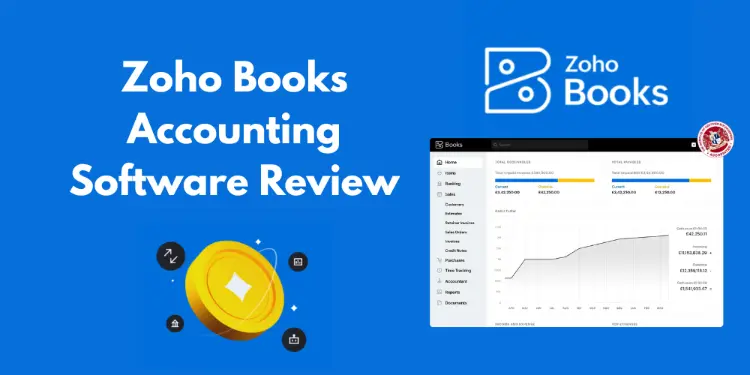 Introduction Choosing the right accounting platform is one of the most important decisions a sole trader or small business can make. Your software underpins how you invoice customers, manage expenses, track cash flow, submit VAT returns, and ultimately understand whether your business is profitable. In this zoho books accounting software guide, we provide a comprehensive,… Read more: Zoho Books Accountancy Software Review
 - Xero vs Zoho Books for Small Businesses (2026)
 Introduction Choosing accounting software is one of the most important decisions a sole trader or small business owner can make. The right platform saves time, reduces stress around tax, and gives you clearer insight into cash flow and profitability. The wrong one can feel restrictive, confusing, or unnecessarily expensive as your business grows. That’s why… Read more: Xero vs Zoho Books for Small Businesses (2026)
 - Zoho Books vs Sage for Small Businesses (2026 Comparison Guide)
 Introduction Choosing the right accounting software is one of the most important early decisions a sole trader or small business can make. The right platform can save hours each month, reduce accounting fees, improve cash flow visibility, and ensure you stay compliant with UK tax rules. The wrong choice can lead to frustration, missed deadlines,… Read more: Zoho Books vs Sage for Small Businesses (2026 Comparison Guide)
 - Sage vs QuickBooks Accounting Software Comparison
 Introduction Choosing the right accounting software can have a lasting impact on how efficiently your business operates, how confident you feel about compliance, and how much time you spend managing finances instead of growing your company. For UK sole traders and small businesses, the comparison most often searched is sage vs quickbooks—and for good reason.… Read more: Sage vs QuickBooks Accounting Software Comparison
 - Xero vs QuickBooks for Small Businesses
 Introduction Choosing accounting software is no longer just about bookkeeping. For UK sole traders and SMEs in 2026, it directly affects compliance, cash flow visibility, and how confidently you can scale your business. That is why the comparison between xero vs quickbooks remains one of the most searched and debated topics in small business finance.… Read more: Xero vs QuickBooks for Small Businesses
 - How to Prepare for Making Tax Digital
 Introduction Making Tax Digital (MTD) is no longer a future concept for UK businesses — it is an active, expanding HMRC initiative that continues to reshape how sole traders and SMEs manage their tax obligations. If you’re searching for guidance on how to prepare for making tax digital, you’re not alone. Thousands of business owners… Read more: How to Prepare for Making Tax Digital
 - Free Making Tax Digital Software – Options, Limits & Deals (2026 Guide)
 Introduction The search for free making tax digital software has become increasingly common among UK sole traders and small and medium-sized enterprises. As Making Tax Digital continues to expand across VAT, Income Tax Self Assessment, and future corporation tax requirements, more business owners are discovering that digital record keeping is no longer optional. For many,… Read more: Free Making Tax Digital Software – Options, Limits & Deals (2026 Guide)
 - Best Accounting Software for Making Tax Digital
 Introduction Making Tax Digital (MTD) is no longer a future concern for UK businesses – it is a present-day requirement that continues to expand in scope. For sole traders, landlords, and SMEs, understanding how to comply with HMRC’s digital tax rules is now essential, not optional. At the heart of that compliance sits your choice… Read more: Best Accounting Software for Making Tax Digital
 - Making Tax Digital for Landlords
 Introduction Making Tax Digital for landlords is one of the most significant changes to the UK tax system in decades, and by 2026 it is no longer something landlords can afford to ignore. Whether you own a single buy-to-let property or manage a growing portfolio, HMRC’s push towards digital record-keeping and reporting will directly affect… Read more: Making Tax Digital for Landlords