
Introduction
Making Tax Digital for Sole Traders is no longer a distant government initiative — it is a practical, unavoidable reality for thousands of UK self-employed people as we move through 2026. If you’re a sole trader, freelancer, contractor, or side-hustler, chances are you’ve already heard about MTD in passing. You may also be wondering what it actually means for you, whether it applies to your business, and how on earth you’re supposed to comply without becoming an accountant overnight.
At its core, Making Tax Digital is HMRC’s long-term plan to modernise the UK tax system. The goal is simple in theory: replace manual, paper-based tax reporting with digital record-keeping and online submissions using approved software. In practice, however, many sole traders feel uncertain, overwhelmed, or even resistant — particularly those who’ve successfully managed their tax affairs with spreadsheets or paper records for years.
This guide is written specifically for UK sole traders who want clarity rather than jargon. We’ll explain exactly does MTD apply to sole traders, what the timelines look like, and what you need to do to stay compliant. We’ll also explore what makes good MTD software for sole traders, compare leading providers like Xero, Sage, and QuickBooks, and show how the right tools can actually save you time and money rather than create extra work.
Throughout the guide, you’ll find comparison points and practical CTAs to help you evaluate options side by side. If you’re looking for a cost-effective way to get started, we’ll also highlight a strong current deal: Xero Accounting Software – get 95% off for 6 months, subject to eligibility and current terms.
Whether you’re brand new to MTD, preparing ahead of deadlines, or actively searching for the best MTD software for sole traders, this 2026-ready guide will give you the confidence to move forward — digitally, compliantly, and efficiently.
Check out the latest MTD compliant Xero offer here👉 https://accountingsoftwaredeals.co.uk/recommends/xero-offer/
Contents
- What Is Making Tax Digital and Why It Exists
- Does Making Tax Digital Apply to Sole Traders?
- MTD Timelines and Deadlines for Sole Traders
- What Records Sole Traders Must Keep Under MTD
- How MTD Submissions Work in Practice
- Benefits of Making Tax Digital for Sole Traders
- What Makes the Best MTD Software for Sole Traders
- Xero vs Sage vs QuickBooks – MTD Software Comparison
- Why Xero Is Popular with Sole Traders
- How to Prepare for MTD as a Sole Trader
- Promotion Conditions & Offer Disclaimers
- Frequently Asked Questions
- Recap
- Conclusion & Next Steps
What Is Making Tax Digital and Why It Exists
Making Tax Digital is a UK government initiative led by HM Revenue & Customs with the aim of creating a fully digital tax system. Rather than relying on annual paper returns or manual data entry, businesses and individuals are expected to keep digital records and submit tax information using compatible software.
The policy was introduced to reduce errors, improve accuracy, and make tax administration more efficient. HMRC estimates that billions of pounds are lost each year due to avoidable mistakes in tax returns. By requiring digital record-keeping and direct software submissions, MTD aims to significantly reduce these errors over time.
For sole traders, this marks a fundamental shift. Traditionally, many self-employed individuals have relied on spreadsheets, notebooks, or even shoeboxes full of receipts. While these methods may have worked in the past, they are no longer aligned with HMRC’s long-term digital strategy.
Making Tax Digital for Sole Traders focuses mainly on Income Tax Self Assessment (often referred to as MTD for ITSA). Under this system, instead of one annual tax return, you’ll be expected to submit quarterly updates of your income and expenses, followed by an end-of-period statement and a final declaration.
It’s important to note that MTD is not about paying tax four times a year. Payments are still annual unless you opt into a voluntary payment plan. The quarterly submissions are informational updates designed to give HMRC a clearer, more up-to-date picture of your business finances.
While this may sound daunting, the right mtd software for sole traders can automate much of the process — from categorising expenses to generating compliant submissions — turning MTD from a burden into a manageable routine.to choose the vehicle. A poorly chosen tool can make MTD feel burdensome, whereas the right software can quietly handle most of the work in the background.
Does Making Tax Digital Apply to Sole Traders?
One of the most common questions self-employed people ask is: does MTD apply to sole traders? The short answer is yes — but not all at once, and not in every situation.
Making Tax Digital for Sole Traders applies primarily to those who complete a Self Assessment tax return and earn business or property income above the relevant threshold. As of the current guidance for 2026, MTD for Income Tax applies to sole traders and landlords with qualifying income above £50,000 per year, with a lower threshold of £30,000 expected to follow (subject to change — always check current HMRC guidance).
If your total self-employed and/or property income falls below the threshold, you may not yet be mandated to comply. However, many sole traders choose to adopt MTD-compatible systems early to future-proof their business and avoid last-minute stress.
It’s also worth noting that exemptions exist. Sole traders who cannot use digital tools due to disability, age, or lack of internet access may apply for an exemption. Additionally, certain niche business structures and trusts fall outside the scope.
Even if you are not yet mandated, understanding mtd sole traders requirements is highly beneficial. Once the threshold is lowered, many more self-employed individuals will be brought into scope with relatively short notice.
This is why comparing options early — and exploring modern accounting platforms like Xero, Sage, and QuickBooks — can give you time to transition gradually rather than under pressure.
MTD Timelines and Deadlines for Sole Traders
Understanding the timeline is critical when preparing for Making Tax Digital for Sole Traders. HMRC has taken a phased approach, introducing MTD gradually across different taxes and income levels.
MTD for VAT has been mandatory for VAT-registered businesses above the threshold for several years, with many sole traders already using digital VAT submissions. MTD for Income Tax is the next major phase — and the one most relevant to self-employed individuals.
For sole traders within scope, the key requirement is quarterly reporting. You’ll submit four updates per tax year, typically aligned with these periods:
- 6 April to 5 July
- 6 July to 5 October
- 6 October to 5 January
- 6 January to 5 April
After the tax year ends, you’ll submit:
- An End of Period Statement (EOPS) to finalise business income
- A Final Declaration to confirm all taxable income, including non-business sources
Deadlines are strict, and penalties will apply for persistent non-compliance once the system is fully enforced. This makes reliable mtd software for sole traders essential, as most platforms provide deadline reminders and submission confirmations.
Because timelines and thresholds are subject to government adjustment, always treat dates as “subject to change” and verify with current HMRC announcements.
👉 Get started with Xero and save 95% for 6 months: 🔗 https://accountingsoftwaredeals.co.uk/recommends/xero-offer/
What Records Sole Traders Must Keep Under MTD
Making Tax Digital for Sole Traders requires more than just online submissions — it fundamentally changes how records are kept.
Under MTD rules, sole traders must keep digital records of:
- Business income
- Allowable expenses
- Dates and values of transactions
- VAT details (if registered)
These records must be kept in a digital format using compatible software. While spreadsheets may still be used in limited cases, they usually require “bridging software” to connect to HMRC, which adds complexity and risk.
Modern mtd software for sole traders removes this friction. You can snap photos of receipts, link bank feeds, and automatically categorise expenses. This reduces manual data entry and significantly lowers the risk of mistakes.
Digital links between systems are also a requirement. Copying and pasting between tools may not be compliant long-term, which is another reason dedicated accounting platforms are becoming the standard.
How MTD Submissions Work in Practice
In practical terms, Making Tax Digital for Sole Traders turns tax into a year-round process rather than a once-a-year scramble.
Using approved software, you’ll maintain your records continuously. At the end of each quarter, the software summarises your income and expenses and submits the update directly to HMRC via an API connection. You review the figures, confirm, and submit — no re-keying required.
At year-end, adjustments such as capital allowances or accounting corrections are made before submitting your EOPS and final declaration. Many sole traders work with an accountant at this stage, but the software still handles the digital submission.
This workflow is where the best mtd software for sole traders truly shines. Automation, bank feeds, and real-time reporting turn compliance into a routine task rather than a source of anxiety.
Benefits of Making Tax Digital for Sole Traders
Although MTD can feel like an obligation imposed from above, it offers genuine benefits when implemented properly.
First, accuracy improves dramatically. Digital records reduce errors caused by lost receipts, mis-typed numbers, or forgotten income. This lowers the risk of HMRC queries or penalties.
Second, visibility improves. With up-to-date financial data, sole traders can see how their business is performing throughout the year, not just after the tax return is filed.
Third, time savings are significant. What once took days of admin can be reduced to minutes per week with the right tools.
Finally, compliance becomes less stressful. Automated reminders, secure submissions, and audit trails provide peace of mind — particularly valuable for growing businesses.
What Makes the Best MTD Software for Sole Traders
Not all accounting platforms are created equal. When evaluating mtd software for sole traders, several features matter more than flashy dashboards.
Ease of use is paramount. Sole traders rarely have time for complex systems, so intuitive design and simple workflows are essential.
HMRC compatibility is non-negotiable. The software must be officially recognised for MTD submissions.
Bank feeds and receipt capture are also crucial. These features automate record-keeping and reduce admin workload dramatically.
Pricing transparency matters too. Many sole traders operate on tight margins, making discounted offers — such as Xero’s 95% off for 6 months — especially attractive.
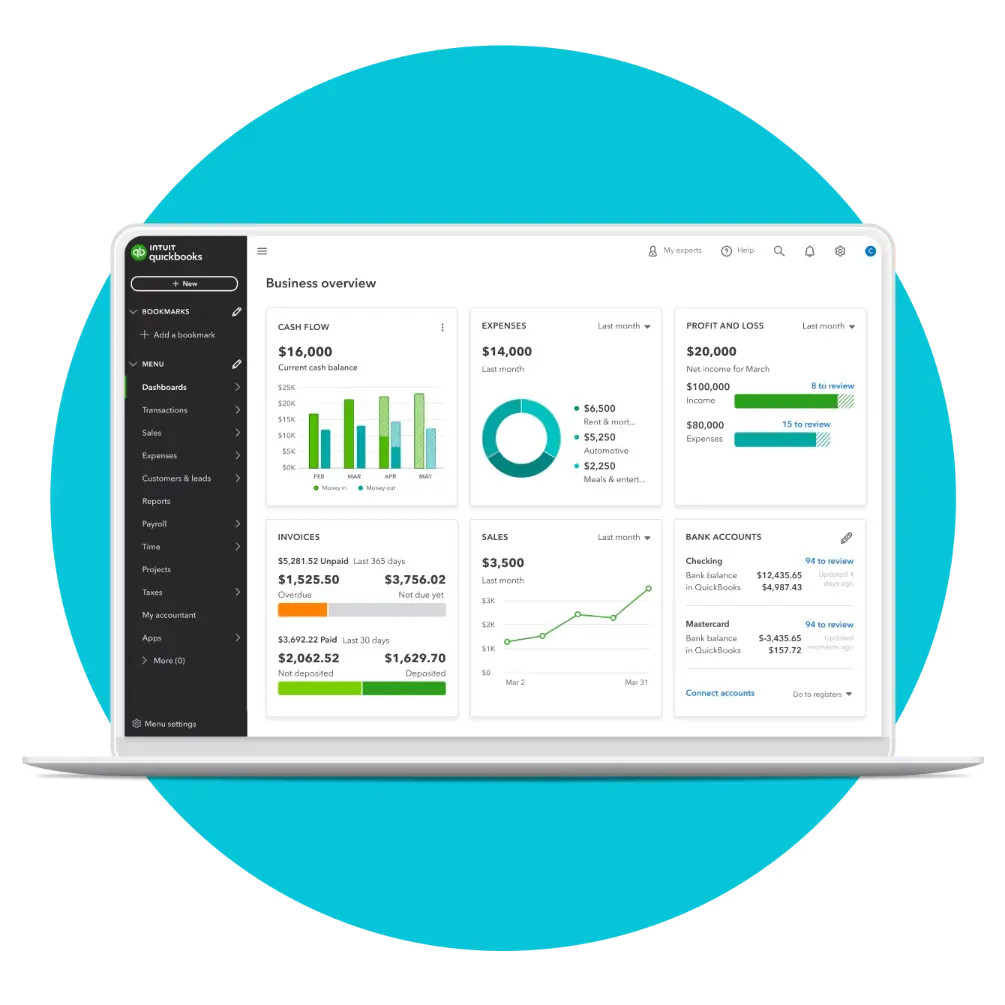
Xero vs Sage vs QuickBooks vs Zoho Books – MTD Software Comparison for Sole Traders
Choosing the right accounting software is one of the most important decisions you’ll make when preparing for Making Tax Digital. While HMRC sets the compliance rules, it’s the software you choose that determines how simple, time-efficient, and stress-free MTD actually feels in day-to-day use.
There’s no one-size-fits-all solution for sole traders. Some prioritise ease of use and automation, others want strong reporting, while many are simply looking for the most cost-effective way to stay compliant without sacrificing features. That’s why it’s important to compare leading MTD-compatible platforms side by side, focusing on what really matters for self-employed businesses.
Below, we’ve provided a high-level comparison of four of the most widely used options by UK sole traders: Xero, Sage, QuickBooks, and Zoho Books. Each platform is fully MTD-ready, but they differ in terms of usability, pricing structure, mobile functionality, and overall suitability for different types of sole traders.
This comparison is designed to help you quickly understand the strengths of each system, whether you’re new to digital accounting or reviewing your software ahead of upcoming MTD deadlines.
- ✓Automated transaction categorisation for MTD-ready bookkeeping
- ✓VAT tracking and making tax digital submissions to HMRC
- ✓MTD-aligned reporting to support quarterly updates
- ✓Custom invoicing with payment tracking
- ✓Receipt capture and expense tracking
- ✓Secure bank feeds for real-time records
- ✓MTD-ready bookkeeping with automated bank reconciliation
- ✓VAT tracking and digital submissions built for UK businesses
- ✓Real-time dashboards for quarterly performance visibility
- ✓Multi-user access for accountants and teams
- ✓Receipt capture to strengthen digital audit trails
- ✓Integrations designed to keep MTD compliance simple
- ✓HMRC-compliant VAT and MTD reporting tools
- ✓Structured bookkeeping aligned to UK standards
- ✓Clear reporting for MTD-style quarterly updates
- ✓Invoice and credit control for cash flow
- ✓Director-friendly monthly reporting
- ✓Cloud and desktop access options
- ✓MTD-ready VAT workflows for compliant submissions
- ✓Digital record keeping for making tax digital
- ✓Automated invoicing and payment tracking
- ✓Bank feeds and reconciliation to reduce admin
- ✓Works well with other Zoho business apps
- ✓$100 credits usable across the Zoho ecosystem
Why Xero Is Popular with Sole Traders
Xero has built a strong reputation among UK sole traders for its simplicity, reliability, and MTD compliance.
Its clean interface makes day-to-day bookkeeping accessible even for non-financial users. Automatic bank feeds, smart reconciliation, and receipt capture reduce admin time significantly.
Xero is fully compatible with Making Tax Digital for Sole Traders and supports quarterly submissions, EOPS, and final declarations. It also integrates seamlessly with accountants, making collaboration easy.
The current promotion — get 95% off for 6 months — makes Xero particularly appealing for new or price-conscious sole traders looking to transition smoothly into MTD.
You can explore the offer here:
https://accountingsoftwaredeals.co.uk/recommends/xero-offer/

How to Prepare for MTD as a Sole Trader
Preparation is the key to stress-free compliance. Start by confirming whether and when MTD applies to you based on income thresholds.
Next, choose MTD-compatible software early and migrate your records gradually. Import historical data where possible and familiarise yourself with the system before deadlines apply.
Consider speaking with an accountant, especially for the first year. Many accountants prefer clients to use cloud-based tools, making collaboration smoother.
Finally, build quarterly reporting into your routine. Treat it as part of running your business rather than an extra chore.
General Making Tax Digital for Sole Traders – FAQs
Does Making Tax Digital apply to sole traders?
Yes, Making Tax Digital applies to sole traders once their combined business and property income exceeds HMRC’s threshold. For most mtd sole traders, this relates to Income Tax Self Assessment. While not every sole trader is immediately affected, thresholds are reducing over time, meaning more self-employed people will fall under Making Tax Digital for Sole Traders in the near future.
What is MTD for sole traders in simple terms?
Making Tax Digital for Sole Traders is HMRC’s system that requires sole traders to keep digital records and submit tax updates using approved mtd software for sole traders. Instead of filing just one annual Self Assessment return, mtd sole traders submit quarterly updates, a year-end statement, and a final declaration through compatible software.
Do sole traders have to submit tax returns quarterly under MTD?
Making Tax Digital for Sole Traders starts once you are within scope based on HMRC income thresholds. If you are a sole trader earning above the relevant limit, you will be required to follow MTD rules from the mandated start date. As dates and thresholds are subject to change, sole traders should always check current HMRC guidance.
Can sole traders still use spreadsheets for MTD?
Under Making Tax Digital, sole traders must submit quarterly updates, but these are not full tax returns. Quarterly submissions simply report income and expenses. Final tax calculations and payments still happen annually. Using mtd software for sole traders makes quarterly reporting significantly easier and more accurate.
What happens if a sole trader does not comply with MTD?
Spreadsheets alone are usually not sufficient for Making Tax Digital for Sole Traders. While some mtd sole traders may use spreadsheets alongside bridging software, HMRC requires digital links between records and submissions. For most sole traders, dedicated MTD software is a simpler and more reliable option.
Is MTD only about income tax for sole traders?
Sole traders who fail to meet Making Tax Digital requirements may face penalties under HMRC’s points-based system. Missed deadlines and repeated non-compliance can result in fines. Using the best mtd software for sole traders helps reduce this risk through automated reminders and direct HMRC submissions.
Do sole traders need an accountant for MTD?
In most cases, yes. Making Tax Digital for Sole Traders requires digital record-keeping and online submissions using compatible software. While basic methods may still be allowed in limited cases, HMRC strongly encourages the use of approved mtd software for sole traders to ensure accuracy and compliance.
Is Making Tax Digital only for VAT-registered sole traders?
No. While many sole traders are already familiar with MTD for VAT, Making Tax Digital for Sole Traders also applies to Income Tax through Self Assessment. Even non-VAT-registered sole traders may need to comply with MTD rules once income thresholds are met.
What is the best MTD software for sole traders?
The best mtd software for sole traders depends on ease of use, automation, pricing, and HMRC compatibility. Popular options for mtd sole traders include Xero, Sage, QuickBooks, and Zoho Books, all of which support Making Tax Digital and are widely used by UK sole traders.
Xero FAQs for Sole Traders
Is Xero suitable for sole traders under Making Tax Digital?
Yes, Xero is one of the most widely used platforms for Making Tax Digital for Sole Traders. It is fully HMRC-recognised and designed specifically to support mtd sole traders with digital record-keeping, quarterly updates, and year-end submissions.
How does Xero help sole traders stay MTD compliant?
Xero enables sole traders to keep digital records, connect bank feeds, categorise expenses automatically, and submit MTD updates directly to HMRC. For mtd sole traders, this removes the need for spreadsheets or manual tax calculations and significantly reduces admin time.
Is Xero easy to use for non-accountants?
Yes. Xero is often considered one of the best mtd software options for sole traders because of its clean interface and simple workflows. Most sole traders can manage their bookkeeping and Making Tax Digital requirements without prior accounting knowledge.
Does Xero work well with accountants?
Yes. Xero is widely used by UK accountants, making collaboration seamless. Accountants can access your data in real time, make adjustments, and submit final declarations without exchanging spreadsheets or paperwork.
Is Xero good value for sole traders?
Xero is competitively priced, especially when introductory offers are available. Discounts such as 95% off for six months can significantly reduce startup costs for new sole traders or those transitioning to MTD.
Can Xero handle VAT for sole traders as well as income tax?
Yes. Xero supports MTD for VAT alongside Income Tax, making it a strong all-in-one solution for VAT-registered sole traders who want a single platform for all compliance needs.
Sage FAQs for Sole Traders
Is Sage compatible with Making Tax Digital for sole traders?
Yes, Sage offers MTD-compatible solutions for sole traders, including support for MTD for VAT and Income Tax. Sage has a long history in UK accounting and aligns closely with HMRC requirements.
Is Sage suitable for first-time sole traders?
Sage can be used by new sole traders, but some users find it slightly more structured and less intuitive than other platforms. It may suit sole traders who prefer a more traditional accounting approach or plan to grow into a larger business.
How does Sage support MTD submissions?
Sage allows digital record-keeping and direct submission of MTD updates to HMRC. It also includes compliance checks and reporting tools that help ensure submissions meet HMRC standards.
Does Sage integrate with bank feeds?
Yes. Sage includes bank feed integration, allowing sole traders to import transactions automatically and reconcile income and expenses more efficiently.
Is Sage better for growing sole traders?
Sage is often chosen by sole traders who expect to grow into limited companies or more complex business structures. Its scalable product range means you can upgrade without changing platforms later.
Does Sage require accounting knowledge?
Basic accounting knowledge can be helpful when using Sage, though many sole traders manage it successfully on their own. Training resources and accountant support are widely available.
QuickBooks FAQs for Sole Traders
Is QuickBooks good for sole traders under MTD?
Yes, QuickBooks is a popular choice among sole traders and fully supports Making Tax Digital. It is especially well regarded for its balance between functionality and ease of use.
How does QuickBooks help sole traders manage MTD?
QuickBooks automates much of the MTD process, including digital record-keeping, expense categorisation, and quarterly submissions. Its real-time reporting helps sole traders understand their tax position throughout the year.
Is QuickBooks easy to set up for sole traders?
QuickBooks is generally quick to set up and includes guided onboarding. Many sole traders can be up and running within a day, even without prior accounting experience.
Does QuickBooks include receipt capture?
Yes. QuickBooks allows sole traders to photograph receipts using a mobile app, automatically attaching them to transactions. This is particularly useful for MTD record-keeping requirements.
Is QuickBooks suitable for VAT-registered sole traders?
QuickBooks supports MTD for VAT as well as Income Tax, making it suitable for sole traders who need to manage both obligations in one system.
How does QuickBooks compare to Xero for sole traders?
Both platforms are strong choices. QuickBooks often appeals to users who like detailed reporting and automation, while Xero is frequently praised for simplicity and accountant collaboration. The best option depends on personal preference and workflow.
Zoho Books FAQs for Sole Traders
Is Zoho Books MTD compliant for sole traders?
Yes, Zoho Books is MTD-compatible and supports digital record-keeping and HMRC submissions for eligible taxes. It is increasingly used by sole traders looking for a cost-effective solution.
Is Zoho Books suitable for UK sole traders?
Zoho Books works well for UK sole traders, particularly those who are comfortable with digital tools and want strong features at a lower price point. It is especially attractive to tech-savvy users.
How does Zoho Books help with MTD requirements?
Zoho Books enables digital record-keeping, bank feed integration, and MTD submissions through approved connections. It also provides reports that help sole traders monitor income and expenses throughout the year.
Is Zoho Books easy for beginners to use?
Zoho Books has a clean interface, though it can feel more feature-rich than some alternatives. Sole traders willing to spend a little time learning the system often find it very powerful.
Is Zoho Books good value for sole traders?
Zoho Books is often one of the most affordable MTD software options. Its pricing structure appeals to sole traders who want to minimise costs while remaining compliant.
Does Zoho Books integrate with other tools?
Yes. Zoho Books integrates with a wide range of business tools, including invoicing, CRM, and payment platforms. This can be useful for sole traders managing multiple aspects of their business digitally.
Recap: Making Tax Digital Explained
Making Tax Digital for Sole Traders represents one of the most significant changes to the UK self-employed tax system in decades. While the core aim is to modernise tax reporting and reduce errors, the practical reality for sole traders is a move towards continuous digital record-keeping and more frequent interaction with HMRC throughout the year.
As we’ve covered in this guide, MTD for sole traders primarily affects those within the Income Tax Self Assessment regime once income thresholds are met. It introduces quarterly updates, end-of-period statements, and a final declaration — all of which must be submitted using HMRC-approved software. Although this can feel like an added administrative burden at first, the right preparation and tools make the transition far more manageable.
Choosing suitable MTD software for sole traders is central to success under the new system. Platforms like Xero, Sage, QuickBooks, and Zoho Books each offer compliant solutions, but they differ in usability, pricing, automation, and how well they align with sole trader workflows. For many self-employed people, ease of use, bank feed automation, receipt capture, and clear reporting are far more important than advanced features designed for larger businesses.
Crucially, Making Tax Digital should not be viewed as something to delay until it becomes mandatory. Sole traders who adopt MTD-compatible software early often find they gain better visibility over their finances, reduce year-end stress, and spend less time on admin overall. With strong introductory offers available, it’s also an opportunity to upgrade your systems cost-effectively while preparing your business for the future.
Conclusion and Next Steps
Making Tax Digital for Sole Traders is no longer a question of if, but when. As HMRC continues to roll out MTD for Income Tax and lower thresholds over time, more sole traders will be required to comply — and those who wait until the last minute risk unnecessary disruption, rushed decisions, and avoidable mistakes.
The most effective way to approach MTD is to see it as part of running a modern, resilient sole trader business rather than just another compliance task. By keeping accurate digital records throughout the year and using software that automates submissions, reminders, and reporting, MTD can actually simplify your tax position instead of complicating it.
If you’re currently reviewing options or preparing to move away from spreadsheets or manual processes, now is an ideal time to compare leading platforms. Xero, Sage, QuickBooks, and Zoho Books all meet HMRC requirements, but many sole traders find that Xero strikes the best balance between simplicity, automation, and accountant collaboration — particularly when cost-saving offers are available.
At the time of writing, you can access Xero Accounting Software with 95% off for 6 months, making it a highly cost-effective way to become MTD-ready without long-term commitment. This can be especially valuable for sole traders who want to test a full-featured platform before upcoming MTD deadlines.
You can view the current offer here:
https://accountingsoftwaredeals.co.uk/recommends/xero-offer/
Subject to eligibility. Offers and terms may change, so always check the latest details before signing up.
By taking action now, you’ll not only stay compliant with Making Tax Digital for Sole Traders — you’ll also put stronger financial systems in place to support your business growth well beyond 2026.
Disclaimer: The content on this website is intended for informational purposes only and should not be construed as legal, financial, or professional advice. While we strive to ensure that the information is accurate and up-to-date at the time of publication, please be aware that regulations and circumstances may change. We recommend consulting with a qualified professional for personalised guidance specific to your situation. Additionally, some links on this website may be affiliate links, meaning we may earn a commission if you make a purchase through those links. Please ensure you read and understand all terms and conditions before making any decisions.
Xero Relationship Disclosure: This website is independent and not affiliated with or endorsed by Xero. We may earn a commission if you sign up to Xero via our referral links.
- Zoho Books Accountancy Software Review
 Introduction Choosing the right accounting platform is one of the most important decisions a sole trader or small business can make. Your software underpins how you invoice customers, manage expenses, track cash flow, submit VAT returns, and ultimately understand whether your business is profitable. In this zoho books accounting software guide, we provide a comprehensive,… Read more: Zoho Books Accountancy Software Review
 - Xero vs Zoho Books for Small Businesses (2026)
 Introduction Choosing accounting software is one of the most important decisions a sole trader or small business owner can make. The right platform saves time, reduces stress around tax, and gives you clearer insight into cash flow and profitability. The wrong one can feel restrictive, confusing, or unnecessarily expensive as your business grows. That’s why… Read more: Xero vs Zoho Books for Small Businesses (2026)
 - Zoho Books vs Sage for Small Businesses (2026 Comparison Guide)
 Introduction Choosing the right accounting software is one of the most important early decisions a sole trader or small business can make. The right platform can save hours each month, reduce accounting fees, improve cash flow visibility, and ensure you stay compliant with UK tax rules. The wrong choice can lead to frustration, missed deadlines,… Read more: Zoho Books vs Sage for Small Businesses (2026 Comparison Guide)
 - Sage vs QuickBooks Accounting Software Comparison
 Introduction Choosing the right accounting software can have a lasting impact on how efficiently your business operates, how confident you feel about compliance, and how much time you spend managing finances instead of growing your company. For UK sole traders and small businesses, the comparison most often searched is sage vs quickbooks—and for good reason.… Read more: Sage vs QuickBooks Accounting Software Comparison
 - Xero vs QuickBooks for Small Businesses
 Introduction Choosing accounting software is no longer just about bookkeeping. For UK sole traders and SMEs in 2026, it directly affects compliance, cash flow visibility, and how confidently you can scale your business. That is why the comparison between xero vs quickbooks remains one of the most searched and debated topics in small business finance.… Read more: Xero vs QuickBooks for Small Businesses
 - How to Prepare for Making Tax Digital
 Introduction Making Tax Digital (MTD) is no longer a future concept for UK businesses — it is an active, expanding HMRC initiative that continues to reshape how sole traders and SMEs manage their tax obligations. If you’re searching for guidance on how to prepare for making tax digital, you’re not alone. Thousands of business owners… Read more: How to Prepare for Making Tax Digital
 - Free Making Tax Digital Software – Options, Limits & Deals (2026 Guide)
 Introduction The search for free making tax digital software has become increasingly common among UK sole traders and small and medium-sized enterprises. As Making Tax Digital continues to expand across VAT, Income Tax Self Assessment, and future corporation tax requirements, more business owners are discovering that digital record keeping is no longer optional. For many,… Read more: Free Making Tax Digital Software – Options, Limits & Deals (2026 Guide)
 - Best Accounting Software for Making Tax Digital
 Introduction Making Tax Digital (MTD) is no longer a future concern for UK businesses – it is a present-day requirement that continues to expand in scope. For sole traders, landlords, and SMEs, understanding how to comply with HMRC’s digital tax rules is now essential, not optional. At the heart of that compliance sits your choice… Read more: Best Accounting Software for Making Tax Digital
 - Making Tax Digital for Landlords
 Introduction Making Tax Digital for landlords is one of the most significant changes to the UK tax system in decades, and by 2026 it is no longer something landlords can afford to ignore. Whether you own a single buy-to-let property or manage a growing portfolio, HMRC’s push towards digital record-keeping and reporting will directly affect… Read more: Making Tax Digital for Landlords